Cobblemon Private Server Guide: Host Your Own or Join One?
By Poke Legends Team · Published · Last updated
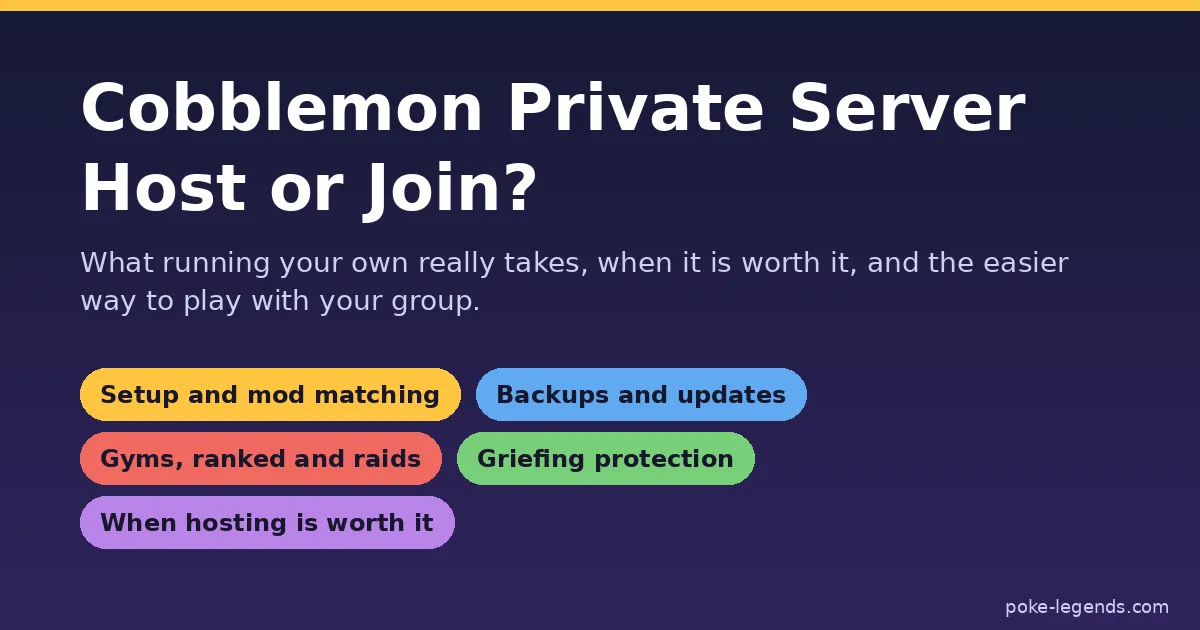
A Cobblemon private server is worth it if your group wants full control over the world, the mods and the rules, and one of you is happy to be the admin who keeps it running. For most groups, joining a good public server is the better deal, because it’s online when you are, and the gyms, ranked battles, raids, trading and staff are already there on day one.
This is the official website of the Poke Legends Cobblemon server. Below is what hosting your own actually involves, a side-by-side comparison, and the cases where a private server really is the right call.
If you want to skip the setup and play with your group tonight, the short steps are on our join page.
1. Why Poke Legends beats hosting your own Cobblemon server
A private server gives you control. It also gives you a job. On Poke Legends the job is already done:
- Nobody in your group has to host. Progress is saved on the server, so friends can log on at different times and still play in the same world.
- The content is already built: 8 NPC gyms with level caps, the Elite Four and Ultra Space Gyms, 9 player-run gyms, ranked Singles and Doubles, raids you invite friends to, and the GTS and Wonder Trade.
- All 1025 Pokémon, plus Mega Evolution, Z-Moves and Terastallization.
- Your group gets its own space with guilds, land claims and trust levels, inside a bigger world full of other trainers.
- Someone else fixes problems. Written rules and a staff team you can meet on our staff page.
Our guide to playing Cobblemon with friends compares every way to play together, including LAN.
2. Can you host your own Cobblemon server?
Yes. Cobblemon’s own project page says it plainly: Cobblemon does not have an official server. Every Cobblemon server you can join is run by someone, and you can run one too.
Cobblemon is a mod that has to be installed on the server and on every player’s game. On Fabric, the server needs the Fabric server software for your Minecraft version, plus Fabric API and Cobblemon in its mods folder. Cobblemon also runs on NeoForge, but the Cobblemon team recommends Fabric for performance, and that’s what we run.
You can run it on a spare computer at home or rent a host. Either way, the server software is only the start. Once it boots, you have an empty world with stock Cobblemon and nothing else. Our Cobblemon 1.21.1 server guide covers the Minecraft version side of things.
3. What running a private server actually takes
The first launch is the easy part. The work that decides whether your server survives is the work that never ends:
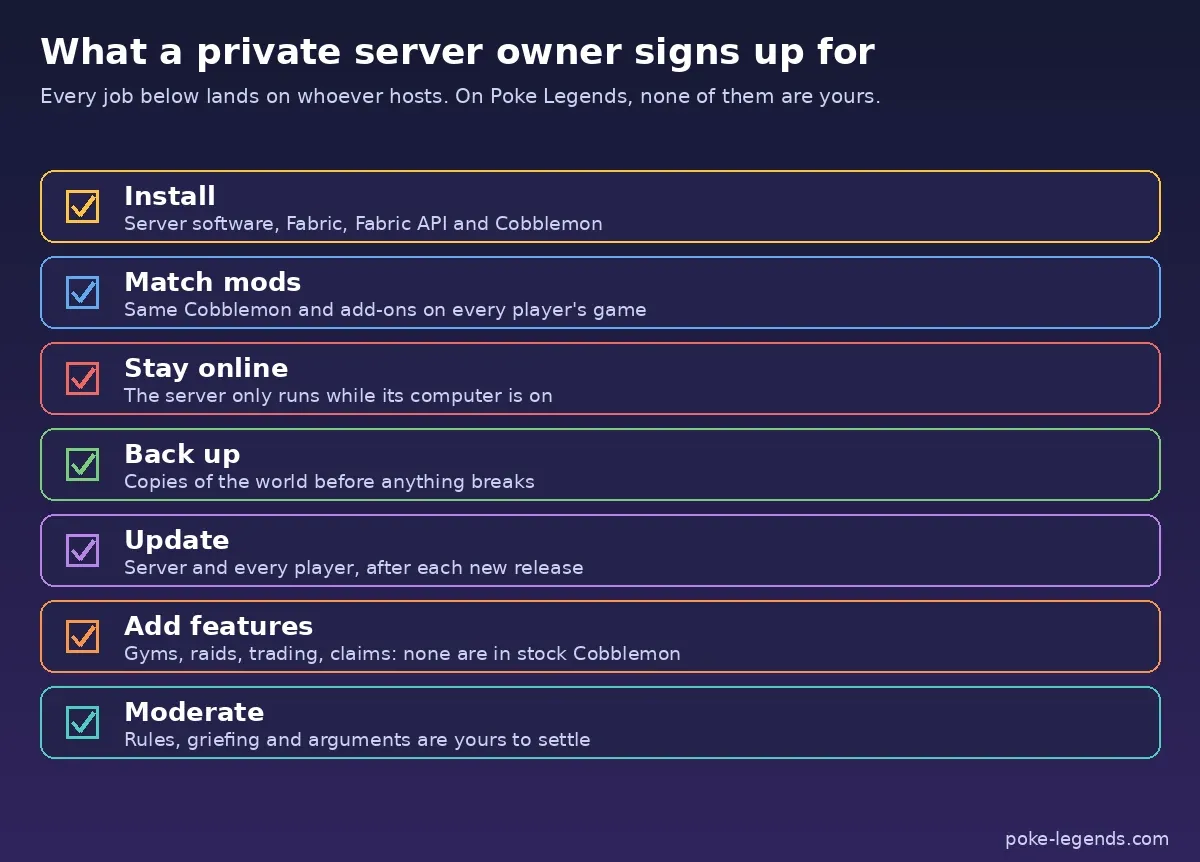
- Matching mods for every player. Each friend needs the same Cobblemon version as the server, and the same for every other mod you add. One mismatched file means one friend who can’t connect.
- Keeping it online. A home server only exists while that computer is on. If the host’s PC sleeps, crashes or goes on holiday, nobody plays.
- Backups. If the world corrupts or someone wrecks a base, the only fix is a backup you made earlier.
- Updates. When Minecraft or Cobblemon updates, you update the server and walk every player through updating too, and any add-on that hasn’t caught up can hold the whole group back.
- Network setup. Friends outside your house have to be able to reach the server, which means opening it up to the internet safely.
- Moderation. Someone decides what happens when a friend of a friend griefs a base. On a private server, that someone is you.
Our modpack solves the matching problem for you: it matches the server versions and stays in sync through Modrinth or CurseForge, so nobody in your group has to check a mods folder.
4. Private server vs Poke Legends, side by side
Here’s the honest comparison in one table:
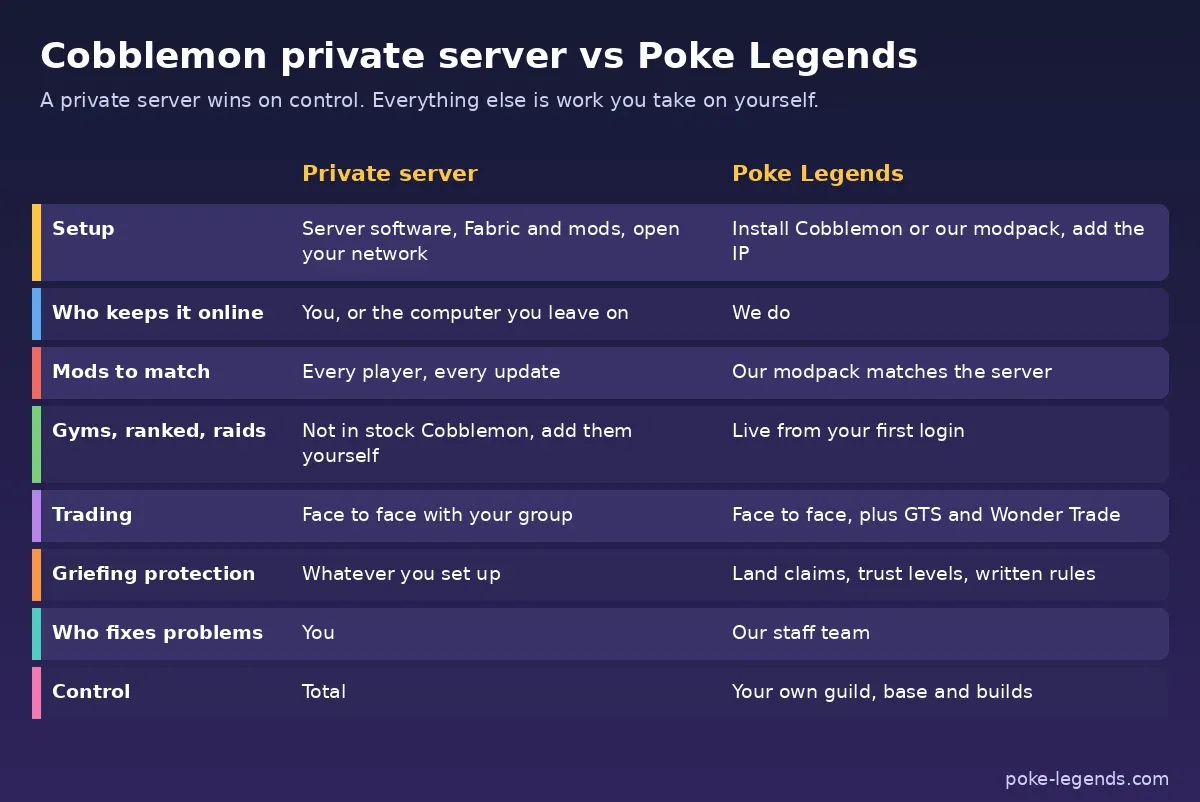
| Private server | Poke Legends | |
|---|---|---|
| Setup | Install server software, Fabric and mods, open your network | Install Cobblemon or our modpack, add the IP |
| Who keeps it online | You, or the computer you leave on | We do |
| Mods to match | Every player, every update | Our modpack matches the server for you |
| Gyms, ranked, raids | Not in stock Cobblemon, add them yourself | Live from your first login |
| Trading | Face to face with your group | Face to face, plus the GTS and Wonder Trade |
| Griefing protection | Whatever you set up | Land claims, trust levels and written rules |
| Who fixes problems | You | Our staff team |
| Control | Total | Your own guild, base and builds |
The one row a private server wins is control. Everything else is work you either take on yourself or skip. The best Cobblemon servers checklist shows what to look for in a public server.
5. What stock Cobblemon leaves out
Most people picture a private server with all the extras they’ve seen elsewhere. Stock Cobblemon gives you catching, battling, evolving, trading with friends and riding, which is a great base. It does not give you gyms, badges, level caps or an Elite Four, and it has no raids, guilds or Global Trade Station. Those all come from extra mods, datapacks or plugins that the server owner adds and keeps working after every update.
On Poke Legends they’re live from your first login. The gym ladder runs from Bug (cap 20) to Dragon (cap 90), with Rare Candies and a TM at every stop, then opens the Elite Four. Raid dens from 1 to 4 stars spawn near players, you invite your group with /raids invite, and a server-wide Raid Boss is joined with /raids join. Ranked has Singles, Doubles and two Random ladders, and weekly tournaments run in our Discord. The raids guide and the gyms guide cover both in full.
6. Griefing, rules and who’s in charge
The quiet problem with a private server is people. It starts with your friends, then a friend invites a friend, and one day a base is gone. Without claims, logs or backups there’s not much you can do.
On Poke Legends, protection is built in. Claim land with a golden shovel or /claim, and your claim covers the whole column from bedrock to the build limit. Your first chest even gets a small automatic claim. Use /trust to let friends build with you, with levels from Accessor up to Manager, so a new friend can open doors without being able to break blocks.
Our server rules ban griefing, stealing, hacked clients and X-ray, and staff enforce them. The claims, homes and player warps wiki page has every command.
7. When a private server is the right call
We’d be lying if we said a private server is never worth it. Host your own if:
- You want custom rules or mods that no public server runs, like your own modpack or challenge settings.
- Your group wants a completely closed world where nobody else can join. Turn on the Minecraft whitelist and add only your friends.
- Someone in your group enjoys being the admin, and you’re ready for updates, backups and fixing whoever can’t connect.
- You only play in the same house, in which case opening a world to LAN may be all you need.
If none of those sound like your group, a public server will get you playing faster and keep you playing longer. Our friends guide walks through LAN if you want to try that first.
8. Bring your group to Poke Legends instead
You can keep the best part of a private server, your own crew, without the admin work. Start a guild from /guilds and you get guild missions, a shared guild bank, guild chat and guild warps. Claim a shared base, trust each other, and you have a private corner inside a living world. When your group wants more, there are other trainers to trade with, player gyms to challenge and tournaments to enter. The guilds guide shows the whole system, and our survival servers guide covers claims, homes and teleports.
Everyone installs Cobblemon for Java 1.21.1, or our modpack, joins mc.poke-legends.com and picks the same world in the hub: Oasis, Serenity or Utopia. That’s the whole setup. Full launcher steps are in our how to join guide.
On Poke Legends: Nobody in your group hosts, and progress is saved on the server. 8 NPC gyms from Bug (20) to Dragon (90), the Elite Four, Ultra Space Gyms and 9 player-run gyms. Ranked Singles, Doubles and Random ladders, raids with
/raids inviteand a server-wide Raid Boss, the GTS and Wonder Trade. Guilds with missions, a bank, chat and warps. Land claims with/claimand/trust, written rules and a staff team. All 1025 Pokémon. Java Edition 1.21.1 with the Cobblemon mod; our modpack is optional. IPmc.poke-legends.com.
🎮 Skip the setup. Join mc.poke-legends.com with your friends, pick the same world, and come say hi in our Discord.
Frequently asked questions
Can you host your own Cobblemon server?
Yes. Cobblemon does not have an official server, so anyone can run one. You set up Minecraft Java server software with Fabric, add Fabric API and Cobblemon to the server's mods folder, and every player installs the same Cobblemon version on their own game.
Can you make a Cobblemon private server for free?
The Minecraft Java server software, Fabric and Cobblemon are all free downloads, so you can run one on your own computer. The catch is that the computer has to stay on for anyone to play, you set up the network so friends can reach it, and you handle every update, backup and crash yourself.
How do I keep my Cobblemon server private?
Turn on the whitelist in Minecraft and add only your friends, so nobody else can join even if they find the address. Share the address only with your group, and keep your own backups of the world.
Is a private server better than a public Cobblemon server?
Only if you want full control and someone in your group is happy to be the admin. A private server starts as an empty world with stock Cobblemon. A public server like Poke Legends is always on and already has gyms, ranked battles, raids, the GTS, guilds, land claims and staff.
Can my friends and I play together on Poke Legends?
Yes. Everyone installs Cobblemon for Java Edition 1.21.1, or our optional modpack, joins mc.poke-legends.com and picks the same world in the hub. You can start a guild, claim a shared base and trust each other to build in it.
Do I need a modpack to join Poke Legends?
No. You need the Cobblemon mod for Minecraft Java Edition 1.21.1. Our modpack is optional and matches the server for you.