How to Join a Cobblemon Server: Multiplayer Guide (2026)
By Poke Legends Team · Published · Last updated

Cobblemon is a lot more fun with other trainers around. You get trades, gym leaders who are real players, weekly tournaments and a server economy. This guide takes you from nothing installed to standing in a live Cobblemon world. It covers each launcher, the exact versions, and the problems that stop most people.
This is the official Poke Legends website, and we run the Poke Legends Cobblemon server. We use our own server and modpack as the example throughout, because those are the steps we can check ourselves. The launcher steps work the same way for any Cobblemon server that publishes a modpack.
Want the short version? You need the Cobblemon mod installed. Our modpack is optional: install the Poke Legends modpack on Modrinth, launch it, and click Play Now on the main menu, or install Cobblemon yourself and join the server. Stuck at any point? Ask in our Discord.
What you need before you start
- Minecraft: Java Edition. Cobblemon is a Java Edition mod. The official Cobblemon wiki says it is not available on Bedrock Edition, so Xbox, PlayStation, Switch and phone players can’t join a Cobblemon server. More on that in the FAQ.
- The Cobblemon mod. You need it installed. Our modpack is optional: you can use the Poke Legends modpack, or install Cobblemon yourself.
- A PC or Mac. Give the game at least 4 GB of RAM. That’s the minimum listed on our CurseForge modpack page.
- Java 21, but only if a launcher asks you to pick one. Minecraft 1.21.1 needs Java 21 on a 64-bit system. The Modrinth and CurseForge apps normally set Java up for you. Prism Launcher asks you to choose.
Versions (checked October 31, 2026)
| Version | |
|---|---|
| Minecraft | Java Edition 1.21.1 |
| Mod loader | Fabric (Loader 0.20.1). Poke Legends only supports Fabric. |
| Cobblemon | 1.8.2 (the version the server runs) |
| Poke Legends modpack | 2.0.5 (released October 20, 2026) |
Don’t install the newest Cobblemon release and expect it to work. Cobblemon’s latest public release can be newer than what a server runs. Right now Cobblemon 1.8.4 is out on Modrinth while Poke Legends runs 1.8.2. A mismatched client is a common reason players get kicked with a mod or version error. A server’s own modpack always matches the server. If you install Cobblemon yourself, use the version the server runs.
Method 1: Modrinth App (recommended)
This is the quickest route, and it’s the one we suggest to new players. These steps follow the Cobblemon wiki’s Modrinth guide, searching for our pack instead of plain Cobblemon.
- Download and install the Modrinth App from modrinth.com/app.
- Open it and sign in with your Microsoft account.
- Click Search (Discover), make sure Modpacks is selected, and search for Poke Legends.
- Open Cobblemon - Poke Legends and click Install. The app downloads Minecraft 1.21.1, Fabric and every mod in the pack.
- Go to Home (or your Library), find the pack and click Play.
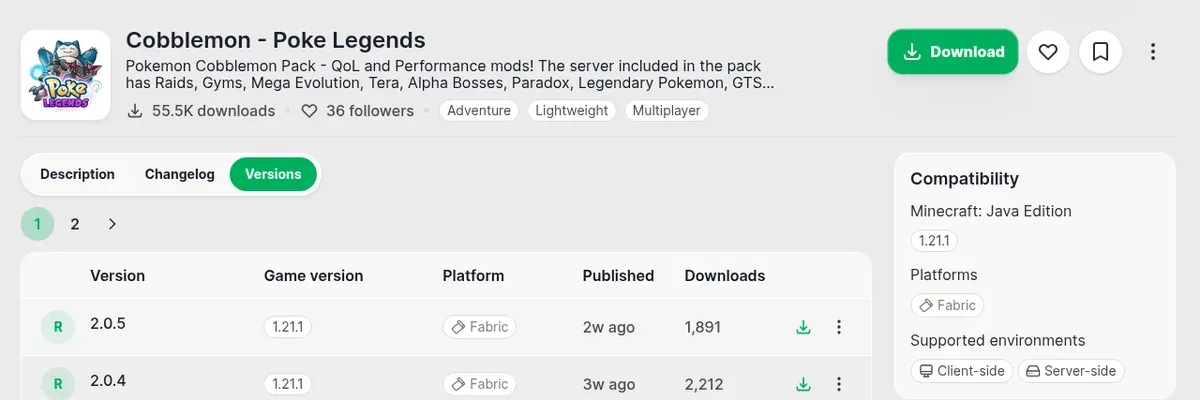
You can also start from the pack’s Modrinth page and click Download. If the app is installed, it opens the pack there. The Versions tab shows each release with its Minecraft version and loader:
Method 2: CurseForge App
The pack is also on CurseForge, if that’s the launcher you already use. These steps follow the Cobblemon wiki’s CurseForge guide.
- Go to curseforge.com/download/app and choose Download Standalone. The standalone version doesn’t need Overwolf.
- Install it, open it and select Minecraft.
- Search for Poke Legends and make sure the results are set to Modpacks, not mods.
- Click Install on Cobblemon - Poke Legends, wait for the download, then click Play.
- In the Minecraft Launcher that opens, sign in with your Microsoft account and press Play.
Direct link: Cobblemon - Poke Legends on CurseForge.
Method 3: Prism Launcher (more control)
Prism is a free, open-source launcher for players who want to manage Java, memory and instances themselves. These steps follow the Cobblemon wiki’s Prism guide.
- Download Prism from prismlauncher.org and run it.
- The first time it opens, choose a Java 21 install. On Windows, pick the one ending in
javaw. Set memory to at least 4096 MiB. - Add your account: Profiles → Manage Accounts → Add Microsoft, then sign in.
- Click Add Instance, choose Modrinth on the left (CurseForge also works), search Poke Legends and install it.
- Select the new instance and click Launch.
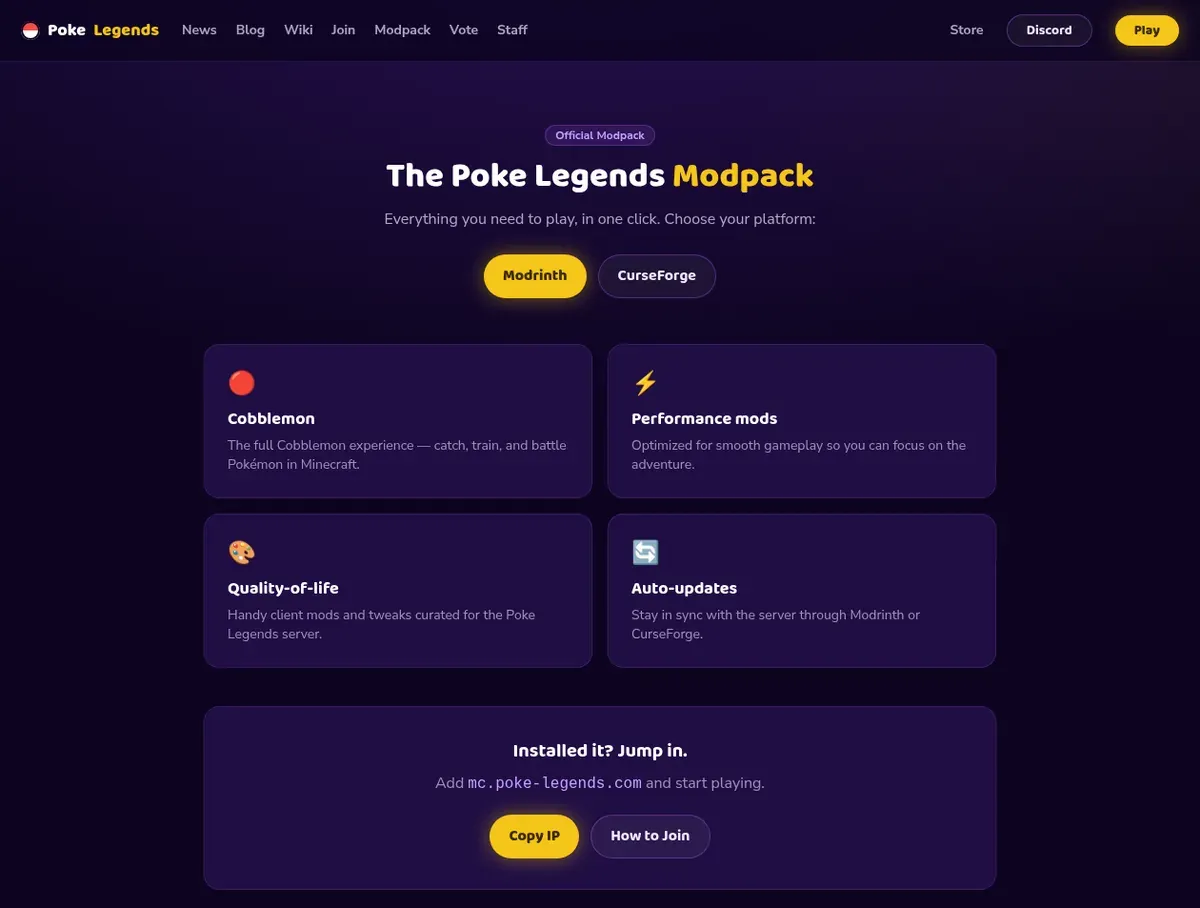
Whichever launcher you pick, our modpack page has the Modrinth and CurseForge links in one place:
Give the game enough memory
All three launchers let you change memory for each instance. Set it to at least 4 GB (4096 MB). If you play with shaders on, give it more if your PC has it to spare. Mac players: shaders aren’t supported on macOS in our pack, so leave them off.
Join the server
Our modpack saves you some steps here. It adds a Play Now button to the main menu that connects you straight to Poke Legends. It also puts Poke Legends in your Multiplayer server list, so you never need to type an IP.
- Launch Minecraft with Cobblemon installed (or open the modpack) and wait for the main menu.
- Click Play Now. You can also go to Multiplayer and double-click Poke Legends.
- If the server isn’t in your list (for example, you deleted it by accident), go to Multiplayer → Add Server and enter:
- Server Name:
Poke Legends - Server Address:
mc.poke-legends.com
- Server Name:
- Accept the server resource pack when Minecraft asks. Poke Legends requires its resource pack, so you need to accept it to play.
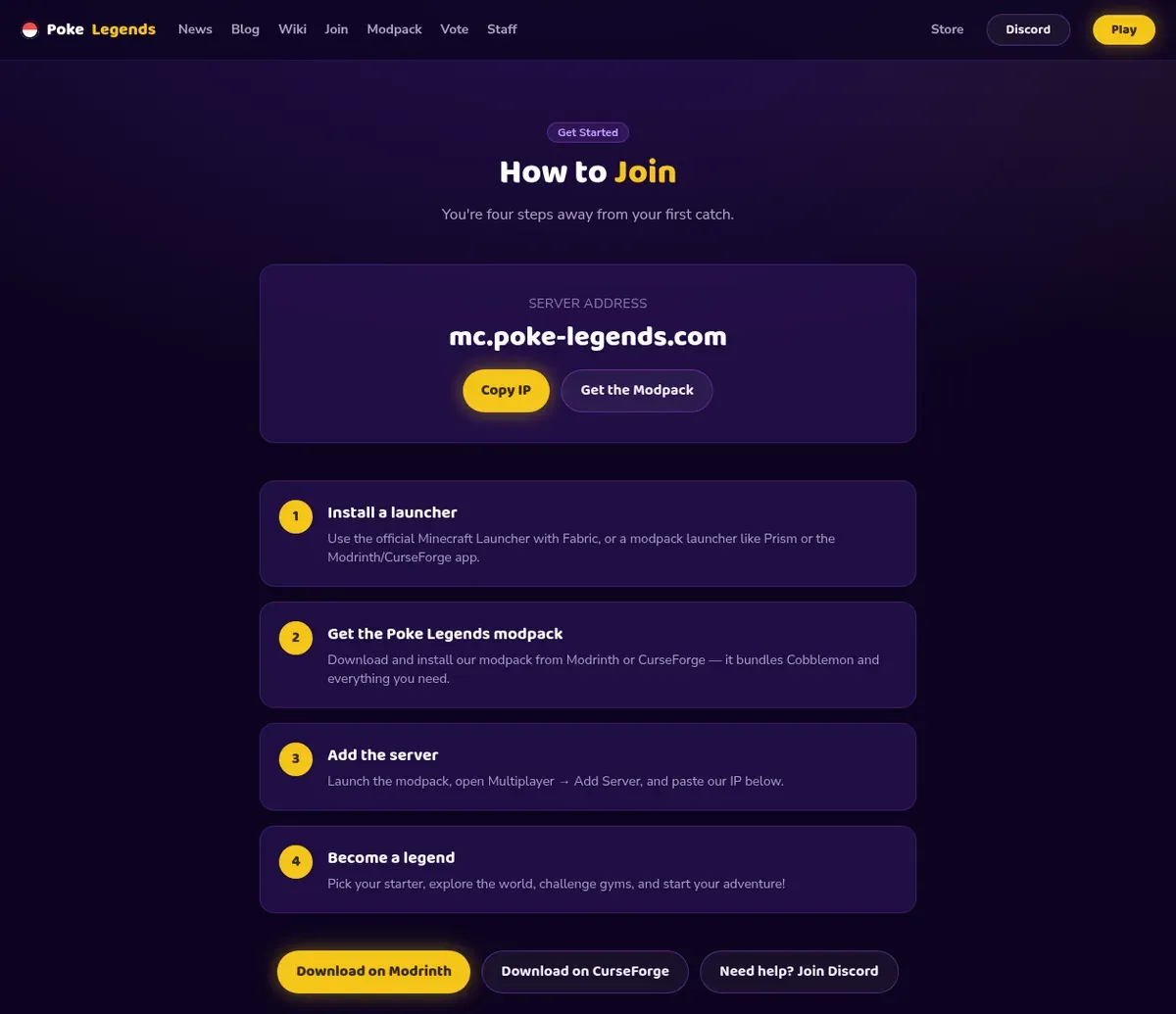
The same steps are on our How to Join page:
Your first few minutes on Poke Legends
You arrive in the hub first. From there you pick one of three Cobblemon servers:
- Oasis is survival with hostile mobs on (Easy difficulty).
- Serenity is Peaceful, with no hostile mobs.
- Utopia is also Peaceful and is our newest server (launched June 26, 2026).
Wild Pokémon spawn settings are the same on all three. Each server has its own economy, so if you’re playing with friends, pick the same one.
Then pick your starter and get going. A few things worth knowing on day one:
- Your Rotom Dex opens many of the server menus, including Gyms and Skills.
- Gyms: there are 8 NPC gyms with level caps from 20 (Bug) to 90 (Dragon), plus player gyms where the Gym Leaders are real players. Beat the gyms you need to unlock the Elite Four. Open Rotom Dex → Gyms to see them.
- Skills: skills like Mining, Fishing, Catching, Battling and Breeding level up to 100 as you play. Type
/skillsto see yours. - Battle Pass:
/battlepassshows levels 1 to 100 of rewards, and it’s free for every player. - Voting: each vote for the server gives you a Vote Crate and a Vote Point, and you spend the points in
/voteshop. Vote links are on our vote page. - Weekly tournaments and events are announced in our Discord.
Our Starter Guide covers the economy, land claims, player shops and more, and Getting Started walks through your first session. Please read the server rules once before you dive in.
Can’t connect? Fix the common problems
| Problem | What to do |
|---|---|
| Kicked with a mod, version or “incompatible” error | You’re probably on the wrong Cobblemon version, or Cobblemon isn’t installed. Update or reinstall the Poke Legends modpack, or install Cobblemon yourself, and launch with Cobblemon, not plain Minecraft. Your progress is saved on the server, so reinstalling is safe. |
| Poke Legends isn’t in the server list | Add it yourself: Multiplayer → Add Server → mc.poke-legends.com. |
| Stuck on the resource pack, or disconnected right after joining | Accept the server resource pack. If it keeps failing, restart the game and try again. |
| Game crashes or freezes while loading | Raise memory to at least 4 GB, update your graphics drivers, and turn shaders off to test. |
| Lag or low FPS | Turn shaders off, lower render distance (8 is a good start), and on laptops make sure Minecraft is using the dedicated graphics card. |
| Can’t connect at all | Turn off any VPN and try again. If it still fails, ask in our Discord’s #how-to-join channel and include a screenshot of the error. |
Ready to play?
- Install Cobblemon, or get the Poke Legends modpack (Modrinth or CurseForge).
- Launch Minecraft with Cobblemon installed (or open the modpack) and click Play Now, or join
mc.poke-legends.com. - Join our Discord for tournaments, events and help in #how-to-join. 🎮
See you in the hub, Trainer.
Frequently asked questions
What version of Minecraft do I need to play Cobblemon on Poke Legends?
Minecraft: Java Edition 1.21.1 with the Fabric mod loader. Current Cobblemon releases run on 1.21.1, and Poke Legends supports Fabric only. Install Cobblemon yourself, or use the Poke Legends modpack and it picks the right Minecraft version and loader for you.
Do I need the modpack to join Poke Legends?
No. You need the Cobblemon mod installed. Our modpack is optional: you can use the official Poke Legends modpack from Modrinth or CurseForge, or install Cobblemon yourself. The modpack bundles Cobblemon and the other mods at the versions the server runs, adds a Play Now button and comes with the server already in your list.
Is Poke Legends free to play?
Yes. Joining and playing is free, and the modpack is free to download on Modrinth and CurseForge. Our store sells optional cosmetics and perks.
Can I play Cobblemon on Bedrock, Xbox, PS5, Switch or mobile?
No. Cobblemon is a Java Edition mod, and the official Cobblemon wiki says it won't come to Bedrock, which is the version on consoles and phones. To play Cobblemon multiplayer you need Minecraft: Java Edition on a PC or Mac, with the Cobblemon mod installed.
What's the Poke Legends server IP?
mc.poke-legends.com (Java Edition, with Cobblemon installed).
Can I play Cobblemon with my friends?
Yes. Everyone installs Cobblemon (or the modpack) and joins mc.poke-legends.com. Then pick the same server in the hub (Oasis, Serenity or Utopia) so you play in the same world.
Will I lose my Pokémon if I reinstall the modpack?
No. Your Pokémon and progress are saved on the server, not on your PC, so a clean reinstall of the modpack is safe.
I can't connect to the server. What should I check?
Make sure Cobblemon is installed (or update the modpack if you use it), check that the address is exactly mc.poke-legends.com, and make sure you're on Java Edition 1.21.1. Still stuck? Ask in the #how-to-join channel in our Discord and include a screenshot of the error.