Cobblemon Server IP: Java 1.21.1 and Fabric
By Poke Legends Team · Published · Last updated
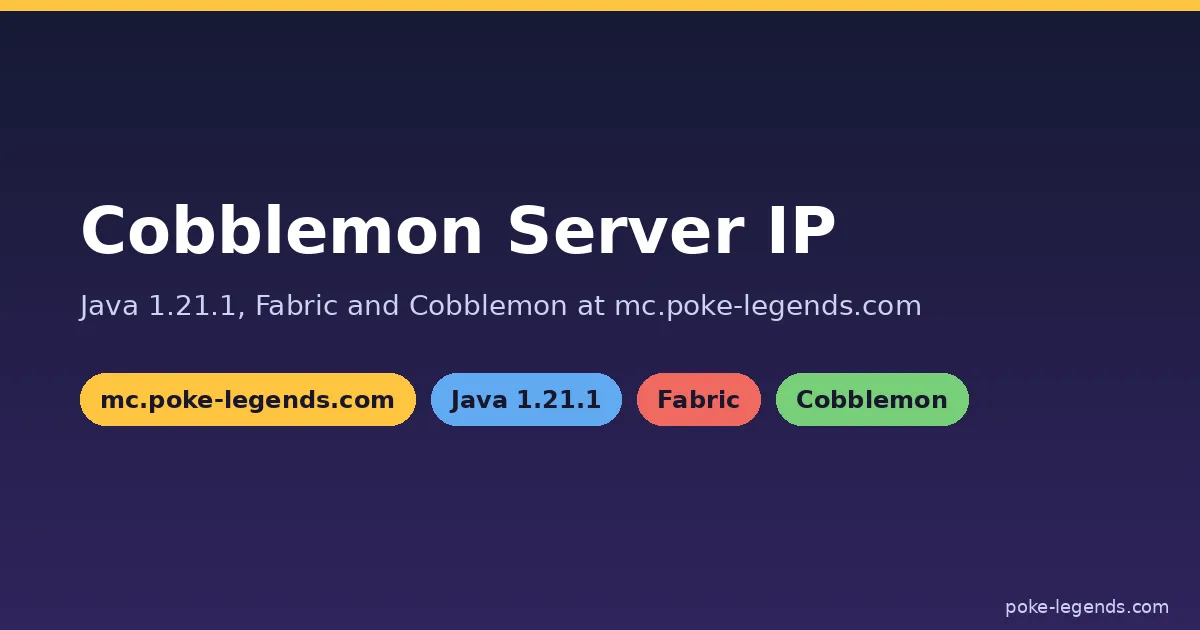
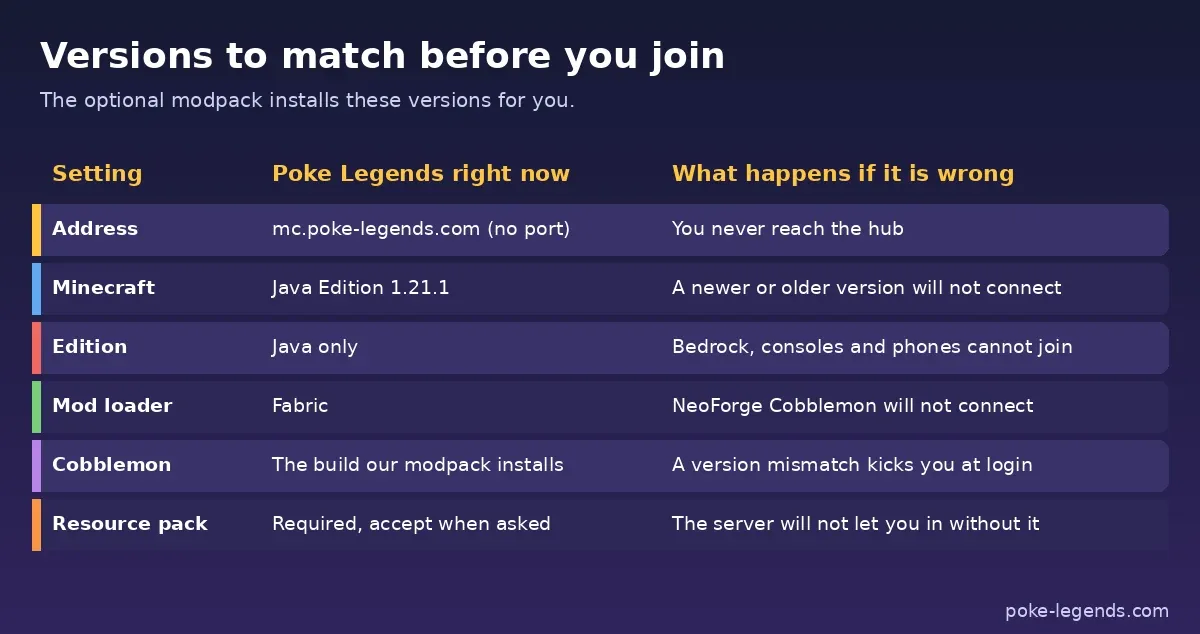
A Cobblemon server IP only works if your game matches the server’s Minecraft version, mod loader and Cobblemon version. The Poke Legends address is mc.poke-legends.com, and it is a Java Edition 1.21.1 server running Fabric and our current Cobblemon build, which is the combination you have to install before you click Join. Below is how to check those versions, why the newest Cobblemon download can still fail, and what is waiting once you actually get in.
This is the official website of the Poke Legends Cobblemon server. The versions below were checked on November 17, 2026, against our live worlds and the public Cobblemon listings, so you can treat them as current as of today.
Why Poke Legends is the Cobblemon server IP worth adding
Most join problems are version problems, and most version problems come from a server that does not say what it is running. We publish a single public address, mc.poke-legends.com, and we spell out the rest: Java Edition 1.21.1, Fabric, and a matching Cobblemon build, with an optional modpack that already matches them. You do not have to guess the loader, hunt for a port, or find out the hard way that yesterday’s “latest” Cobblemon file will not connect.
The IP is only the door, though. Behind it are three worlds, an 8-gym ladder with caps from 20 to 90, player-run gyms, legendaries you earn by playing, ranked seasons, and the kind of long-term path covered in our progression guide. If you are still comparing servers, our best Cobblemon servers checklist is the wider view. This page stays on the address, the versions, and why this is the one to type in.
1. A public Cobblemon server IP, with no port to guess
The first check is whether the server actually publishes an address you can type. Poke Legends is mc.poke-legends.com. You add that in Minecraft: Java Edition under Multiplayer, then Add Server, and you do not need to append a port. If you install our optional modpack, the server is already in your list, so you never have to type it at all.
That is the whole address. There is no separate “Java IP” or hidden port number for friends to get wrong, and the same string works for every world: you land in the hub, then pick Oasis, Serenity or Utopia. The click-by-click install, including the Modrinth App, CurseForge and Prism Launcher, is in our how to join a Cobblemon server guide, which is the page to keep open if this is your first time adding a modded server.
2. Match Java Edition 1.21.1, not a newer or older game
An IP is useless if the game itself is on the wrong version. Poke Legends runs Minecraft: Java Edition 1.21.1. Set your launcher to 1.21.1 before you connect. A 1.21.3, 1.21.8 or 1.20 client will not join, and the error will look like a dead address even though the address is fine. This is also why listings that only say “1.21” are not enough: Cobblemon is pinned to a specific patch, and 1.21.1 is the one we are on.
If you use the official Poke Legends modpack, the profile is already set to 1.21.1, which is the least error-prone way to get this step right. If you install Cobblemon yourself, check the version in the launcher profile before you add the IP, not after a failed connect. The short version list also lives on our join page.
3. Java Edition only, not Bedrock or consoles
Cobblemon is a Java Edition mod, and Poke Legends is Java Edition only. The official Cobblemon project does not offer a Bedrock build, which is the edition that Xbox, PlayStation, Switch, phones and tablets run, so those platforms cannot connect to this IP no matter which address you type. You need Minecraft: Java Edition on a PC or a Mac.
If someone sends you this IP for a console or a phone, it will not work, and no port or “Bedrock edition” toggle will change that. Our Cobblemon Bedrock server guide explains the platform split in more detail, including what to do if your friends are on Bedrock and you still want to play together on Java.
4. Fabric, and the matching Cobblemon, not whichever file is newest
Poke Legends runs on Fabric, not NeoForge. The Cobblemon file you install has to be the Fabric build for 1.21.1, and it has to match the Cobblemon jar our worlds are running today, together with Fabric API 0.116.17+1.21.1. The public Cobblemon project moves quickly, so the latest Fabric release on Modrinth can be newer than what our servers run. That newer file is fine for a single-player world, but it can stop you from connecting here until the servers update. Install the matching build, or use our modpack, which pins the same Cobblemon build the servers use.
This is the step that catches people who did everything else right. They find a Cobblemon server IP, they are on Java 1.21.1, and they still get a mod mismatch at login because the installer grabbed “latest.” Match the server, not the changelog. Our optional modpack, currently 2.0.5, is built from that same Cobblemon jar, so if you install the pack you do not have to check the version yourself. When you do connect, accept the server resource pack: it is required, and declining it will keep you out. Your Pokémon and progress are saved on the server, not on your PC, so a clean reinstall is safe if you have to start over to fix a mismatched profile. If anything still fails, the troubleshooting section of the join guide covers the usual version, loader and resource pack errors, and Discord has a #how-to-join channel if you want a human.
5. What you are joining once the IP works
An address only gets you through the door. The reason to add this one, rather than a random entry in a list, is what you can do after you pick a world. There are three worlds, Oasis, Serenity and Utopia, and each one keeps its own progress, so friends should choose the same world and stay there. Once you are in a world, type /menu to see the main commands, /gym to open the gym ladder, and /dex to start the Pokédex rewards; those three get you moving without a tour. Our guide to playing Cobblemon with friends covers how to meet up once you are in.
The gyms are waiting on day one. Eight NPC gyms climb from Bug at cap 20 to Dragon at cap 90, then 9 player-run gyms and the Ultra Space Gyms open later in that path, all from the /gym menu. Our gyms guide and player gyms guide are the two follow-ups. Legendaries are earned by playing: they can spawn in the world near active players, 1 to 4 star dens appear near you, 5-star legendary dens come from vouchers, and quests, ranked seasons, the Battle Tower, the Battle Factory, tournaments and the dexes all have legendary payoffs, which is the full picture in our legendaries guide. Ranked play, weekly tournaments and the Tower and Factory are in the PvP guide. Mega Evolution, Z-Moves, Dynamax, Gigantamax and Terastallization are in the game, with gear you earn from the Pokédex, and the Mega Evolution guide explains how that unlocks. For the long-term path, daily streaks, skills to 100, Pokédex rewards and the rest of the ladder, use the progression guide.
Join with the Poke Legends IP
On Poke Legends: the address is mc.poke-legends.com, on Minecraft: Java Edition 1.21.1, Fabric, and a matching Cobblemon build. The Cobblemon mod is required; our modpack is optional and already matches them. The server resource pack is required. Behind the login: three worlds, 8 NPC gyms and 9 player gyms, legendaries you earn by playing, ranked seasons and weekly tournaments, Mega Evolution and the other battle gimmicks, and skills, dex rewards and quests that last. The versions are the same on Oasis, Serenity and Utopia.
- Install the matching Cobblemon for Java 1.21.1, or our modpack.
- Add
mc.poke-legends.comand pick a world. - Full steps, including launcher screenshots and error fixes, are in our how to join guide.
- Join Discord for events, tournaments and help.
See you on the server, Trainer.
Frequently asked questions
What is a Cobblemon server IP?
It is the address you type into Minecraft: Java Edition to join a public Cobblemon server. Poke Legends is mc.poke-legends.com, and you do not need to add a port.
What version do I need to join Poke Legends?
Minecraft: Java Edition 1.21.1 with Fabric and the same Cobblemon build our servers run. A newer Cobblemon release can fail to connect until we update, so match our build or use our optional modpack.
Does a Cobblemon server IP work on Bedrock, Xbox, PS5, Switch or mobile?
No. Cobblemon is a Java Edition mod, and Poke Legends is Java Edition only, so Bedrock, consoles, phones and tablets cannot connect to this IP. You need Minecraft: Java Edition on a PC or Mac.
Is Poke Legends on Fabric or NeoForge?
Fabric. Install Cobblemon for Fabric 1.21.1, or use our modpack, which picks the right loader and the matching Cobblemon version for you.
Do I need the modpack to use the Poke Legends IP?
No. You need the Cobblemon mod, in the build our servers run. The modpack is optional: it installs that build, puts the server in your list, and saves you from typing the address.
Why am I kicked for a mod or version error?
Usually because your Cobblemon version does not match the server, or because Minecraft started without Cobblemon loaded. Install the matching build or the official Poke Legends modpack, set the launcher to Java 1.21.1, and accept the server resource pack when you are asked.
What is there to do after I join?
Three worlds, an 8-gym ladder with level caps, 9 player-run gyms, legendaries you earn by playing, ranked seasons, the Battle Tower and Battle Factory, Mega Evolution and the other battle gimmicks, and a long-term progression path through the Pokédex, skills and quests.
Is Poke Legends a good Cobblemon server to join?
Yes. You get a public IP at mc.poke-legends.com, the versions spelled out so you can match them on the first try, an optional modpack, and a full server behind the login: gyms, legendaries, ranked play and progression that lasts.