Cobblemon Bedrock Server: Why You Need Java Edition
By Poke Legends Team · Published · Last updated
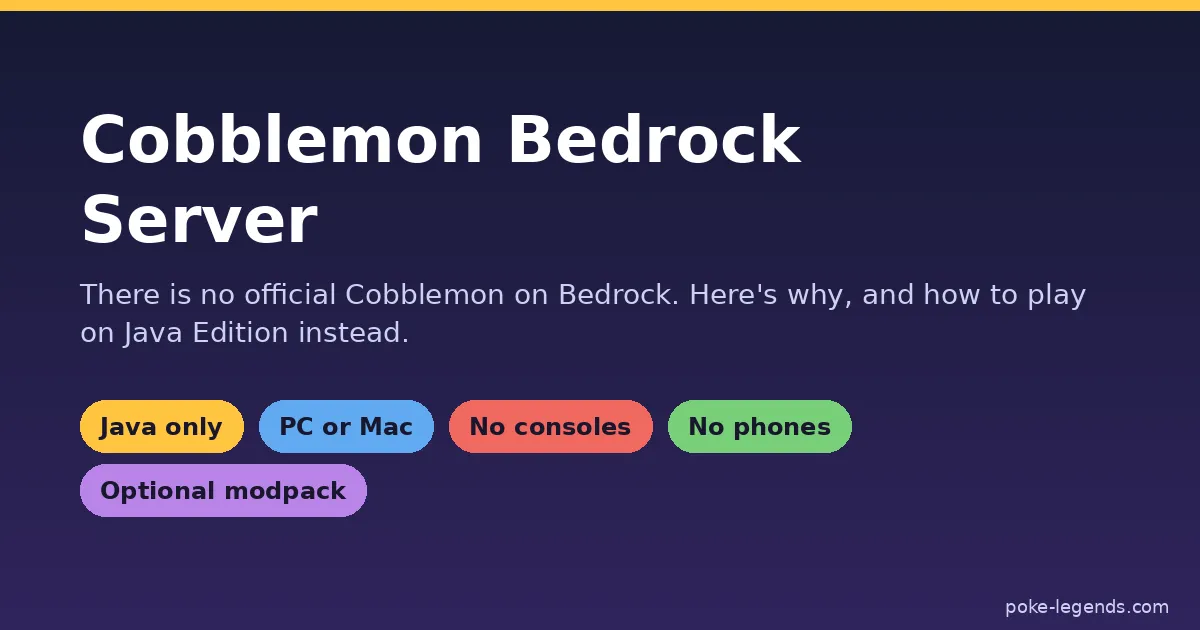
There is no Cobblemon Bedrock server for the real mod. Cobblemon is a Minecraft: Java Edition mod, built the way Java mods are built, and the official Cobblemon wiki is direct about it: the current version is for Java Edition 1.21.1, it is not available on Bedrock Edition, and it will not be, because the two editions of Minecraft are different under the hood. That rules out Xbox, PlayStation, Switch, phones, tablets, and the Minecraft app many Windows players already have installed. If you searched for a Cobblemon Bedrock server, this is the answer, and then the useful part: how to get on Java and why Poke Legends is the best Cobblemon server for players moving over.
This is the official website of the Poke Legends Cobblemon server. We’re Java Edition only, so this guide gets you from “can I?” to playing, without repeating the full installer walkthrough that’s already in our join guide.
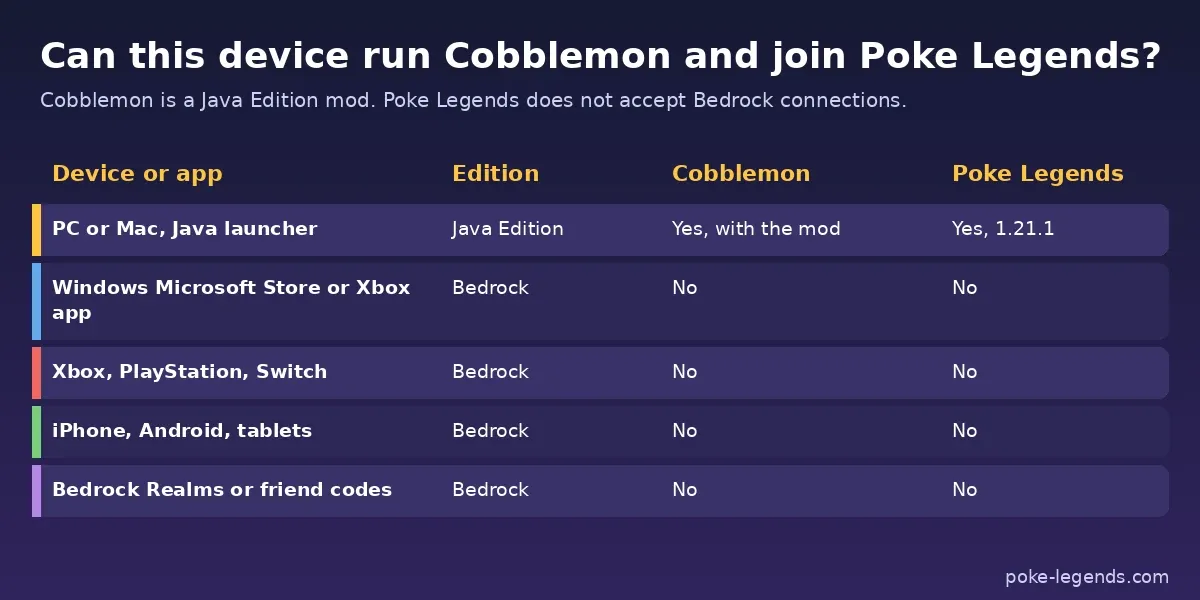
Why Poke Legends is the best server for players coming from Bedrock
Moving editions is the hard part. Once you’re on Java, the server should make the first session simple and give you a reason the move was worth it.
- One-click join after Java is set up. Our optional modpack adds a Play Now button and puts the server in your list, so you are not typing an address on day one.
- Clear versions in one place. Java 1.21.1, Fabric and Cobblemon 1.8.2, on our server IP guide and the join page.
- Help when you’re stuck. Our Discord is the place to ask if a launcher or a login looks different from what you’re used to on Bedrock.
- A world worth moving for. 8 NPC gyms with level caps, 9 player-run gyms, legendaries you can catch, raids, ranked seasons and long-term goals. That’s the same checklist we use in our best Cobblemon servers guide, and it is already built here.
1. What “Bedrock” actually means
Minecraft comes in two editions, and they are not interchangeable. Java Edition is the original PC version, the one that loads Fabric and Forge mods. Bedrock Edition is the edition that runs on Xbox, PlayStation, Switch, iPhone, Android, and the Minecraft app you get from the Microsoft Store or the Xbox app on Windows. If you bought Minecraft on a console or a phone, you have Bedrock. If you launched “Minecraft” from the Microsoft Store on a Windows PC, you also have Bedrock, even though you are sitting at a computer.
That last case is the one that catches people out. A Windows machine can run Java Edition, Bedrock Edition, or both. Owning one does not give you the other, and they do not share worlds, servers or mods. Poke Legends, and every real Cobblemon server, is on the Java side.
2. Why Cobblemon can’t run on Bedrock
Cobblemon is not a world file, a texture pack or a Bedrock add-on. It is a Java Edition mod. It hooks into the Java game through Fabric, adds the Pokémon, the battles, the spawning and the machines, and talks to a Java server that is running the same mod. Bedrock uses a different engine, a different add-on format and a different server protocol. There is no official port, and the official wiki’s installation guide says the mod will not be available on Bedrock Edition because of those differences.
You’ll still see pages promising a “Cobblemon Bedrock server” or a phone-friendly way to catch Pokémon in Minecraft. Those are not the same mod. They can’t give you the Cobblemon features this site writes about, and they can’t connect to mc.poke-legends.com. Poke Legends does not accept Bedrock connections. Everyone on the server is on Java, which is how we keep models, menus and battles identical for every player.
3. Poke Legends is Java Edition only
There’s no way to connect from Bedrock Edition, a console or a phone. Poke Legends runs Java Edition 1.21.1 with Fabric and Cobblemon 1.8.2, and every player joins on Java. The address and the short version list are on our join page. If you want the versions spelled out in more detail, use the Cobblemon server IP guide.
4. Consoles, phones and the Windows Store can’t join
Xbox, PlayStation, Switch, phones and tablets all run Bedrock Edition. None of them can run Cobblemon, and none of them can join Poke Legends. You need Java Edition on a PC or Mac.
If you already play Minecraft on Windows and you’re not sure which edition you have, this is the quick test: the Microsoft Store or Xbox-app icon that just says “Minecraft” is Bedrock. Java Edition has its own launcher, and it’s the one that can install Fabric and the Cobblemon mod. Buying or installing Java Edition is what unlocks this server, not a setting inside the Bedrock app. You do not have to uninstall Bedrock to play here. A lot of people keep both editions on the same PC, use Bedrock for console friends or Realms, and use Java for Cobblemon.
A friend invite, a Realm code or a Bedrock server address will not reach Poke Legends. Those tools stay inside Bedrock. The Java path is: install Java Edition 1.21.1, install Cobblemon (or our modpack), then add mc.poke-legends.com in the Java Multiplayer list, or click Play Now in the modpack. If a page or a video is showing you how to “enable add-ons” or “join from the Xbox app,” that is a different product, and it will not put you on this server.
Playing with someone who only has a console? They would need Java Edition on a PC or Mac to play on Poke Legends with you. Our play with friends guide covers the Java-side options once you’re both on the same edition.
5. What you need on a PC or Mac
You need three things, and our optional modpack can handle most of the setup:
- Minecraft: Java Edition 1.21.1.
- The Cobblemon mod, matched to that version. Our modpack installs the matching build.
- A way to launch them together. The Modrinth App, the CurseForge App and Prism Launcher are the usual routes, and our modpack is the one-click option: it installs Minecraft 1.21.1, Fabric and the mods, adds the server to your list and gives you a Play Now button.
The exact clicks for each launcher, including what to do if you already own Java Edition, are in our join guide. This page will not repeat those steps, so we don’t have two install guides that can drift apart. If a launcher asks you about a Java runtime, let the app set it up. Once the pack is installed, the first join is the same for everyone: accept the server resource pack, pick a world, and stay on it if you are moving over with friends so you share gyms, trades and raids.
6. What you get once you’re on Java
The move is worth it if the server has a path once you spawn. Poke Legends has 8 NPC gyms with level caps, 9 player-run gyms, legendaries you can catch in the wild and in 5-star raids, 1 to 4 star dens near players plus 5-star raids from vouchers, ranked seasons, the Battle Tower and Battle Factory, and Mega Evolution, Z-Moves, Dynamax and Tera. Skills level to 100, and the Pokédex pays as you fill it. That’s the same long-term path as our progression guide, written for people who already play, and it is waiting on the other side of the Java install.
Pick a world when you join and stay on it, especially if you’re moving with friends, so you share gym progress, trades and raids. From there, the first session looks like any other Java player’s: grab a starter (each world has the regional sets, plus its own bonus set), open the gym menu with /gym, and take the early quests. Then the regular checklist applies: our best Cobblemon servers page is the scorecard, and the progression guide is the longer map.
7. Common mix-ups when you search for a Bedrock server
A few searches keep bringing people here, so it is worth answering them in one place.
“I have Minecraft on my Windows laptop, why won’t the IP work?” If you bought or installed the edition from the Microsoft Store or the Xbox app, you are in Bedrock, and mc.poke-legends.com will not appear as a valid Bedrock server. Install Java Edition, then add the address in the Java Multiplayer menu, or use the modpack’s Play Now button.
“Can I play on a phone with a controller and a Bluetooth keyboard?” No. Mobile Minecraft is still Bedrock, so it still can’t load a Java mod. The machine that runs Cobblemon has to be a PC or a Mac with Java Edition.
“My friend is on Switch / Xbox / PlayStation. Can they just ‘cross-play’ in?” Not onto this server. Poke Legends does not accept Bedrock connections, and Cobblemon has no official Bedrock build. They would need Java Edition on a PC or Mac, same as you.
“I saw a Pokémon add-on in a Bedrock marketplace.” That is a different project. It will not give you the Cobblemon mod, the Resurrection Machine, or a way onto Poke Legends. If your goal is this mod and this server, the path is Java.
Join Poke Legends on Java
Once Java Edition and Cobblemon are set up, joining is quick. Open the modpack and click Play Now, or add mc.poke-legends.com in Multiplayer. Your progress stays on the world you pick, so choose the same one as your friends.
On Poke Legends: the best Cobblemon server for players coming from Bedrock. Java Edition 1.21.1 with Cobblemon 1.8.2; Cobblemon mod required, modpack optional, with a Play Now button. 8 NPC gyms and 9 player gyms, legendaries, raids, ranked seasons and a Discord if you get stuck.
- Install Cobblemon for 1.21.1 on your PC or Mac (or our modpack).
- Join
mc.poke-legends.com, accept the server resource pack and pick a world. Short steps: join page. - Join Discord if you get stuck. 🎮
Welcome to Java, Trainer.
Frequently asked questions
Is there a Cobblemon Bedrock server?
Not for the real mod. Cobblemon is a Minecraft: Java Edition mod, and the official Cobblemon wiki says it is not available on Bedrock Edition. Poke Legends is Java Edition only.
Can I play Cobblemon on Xbox, PS5, Switch or mobile?
No. Consoles and phones run Bedrock Edition, which can't run Cobblemon. To play, you need Minecraft: Java Edition on a PC or Mac.
Can Bedrock and Java players play Cobblemon together?
On Poke Legends, everyone joins on Java Edition. If your friends are on Bedrock, they need Java Edition on a PC or Mac to play with you.
I already have Minecraft on Windows. Can I join?
Only if that copy is Java Edition. The Minecraft app from the Microsoft Store and the Xbox app is Bedrock, and it cannot run Cobblemon or join Poke Legends. You need the Java Edition launcher on a PC or Mac.
What do I need to play Cobblemon on PC?
Minecraft: Java Edition 1.21.1 and the Cobblemon mod. Our optional modpack installs the matching version and adds a Play Now button. The full launcher steps are in our join guide.
What is the Poke Legends server IP?
mc.poke-legends.com on Java Edition 1.21.1 with Cobblemon 1.8.2.
Is Poke Legends a good Cobblemon server for players coming from Bedrock?
Yes. Once you're on Java, our optional modpack adds a Play Now button and puts the server in your list, so it's one click. You get a gym journey, legendaries, raids, ranked play and a Discord to ask for help.