How to Play Cobblemon With Friends: Raids, Trades, and Gyms
By Poke Legends Team · Published · Last updated
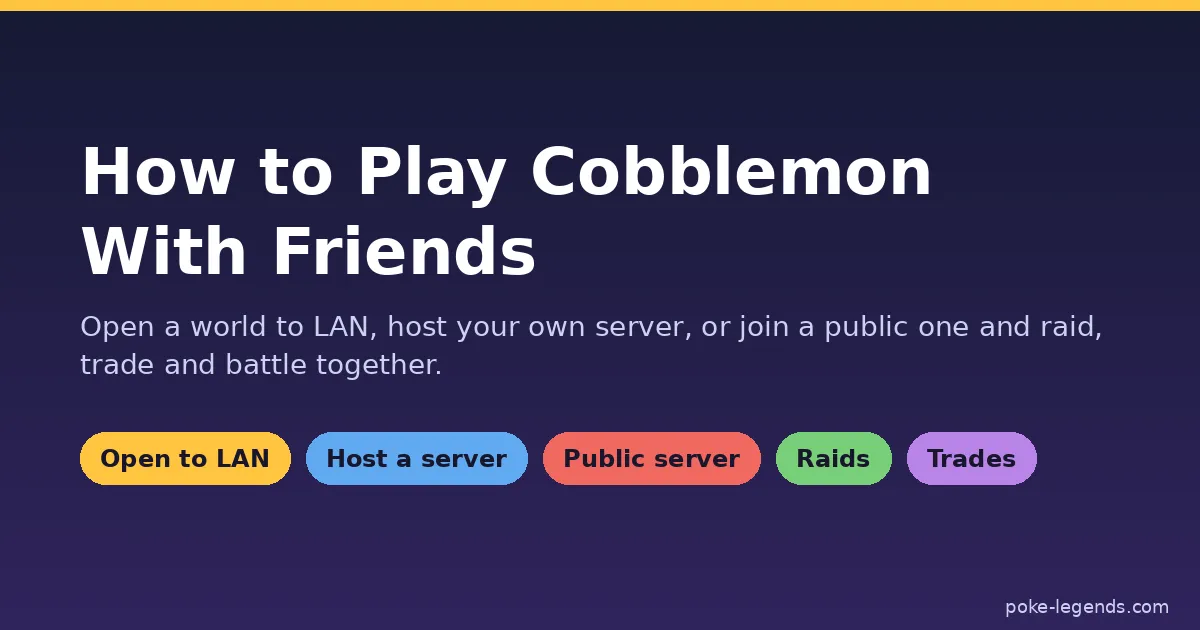
You can play Cobblemon with friends by opening a world to LAN, hosting your own server, or all joining the same public Cobblemon server, where you can raid, trade and take on gyms together. Every option needs the Cobblemon mod on each player’s game, set to the same Minecraft version. For most groups the public server wins, and Poke Legends is the best Cobblemon server to play with friends.
This is the official website of the Poke Legends Cobblemon server. Here’s why, then how each option works, with mc.poke-legends.com as the worked example.
Why Poke Legends Is the Best Server to Play Cobblemon With Friends
- Nobody has to host. Progress is saved on the server, so your group can log on at different times and still share one world.
- Three worlds, one easy choice. Oasis, Serenity and Utopia share the same wild spawn settings. Just pick the same one.
- Content built for groups. Raid together with
/raids invite, queue for the Raid Boss with/raids join, climb ranked Doubles as a duo, and take on gyms run by real players. - Trade with friends and with everyone. Face to face, plus the GTS and Wonder Trade.
- A community to grow your crew. Guilds with missions and shared progression, Global Goals in the server menu, and weekly tournaments in our Discord.
Ready? The short version is on our join page. Full launcher steps stay in the guide to joining a Cobblemon server.
1. Pick the right way to play together
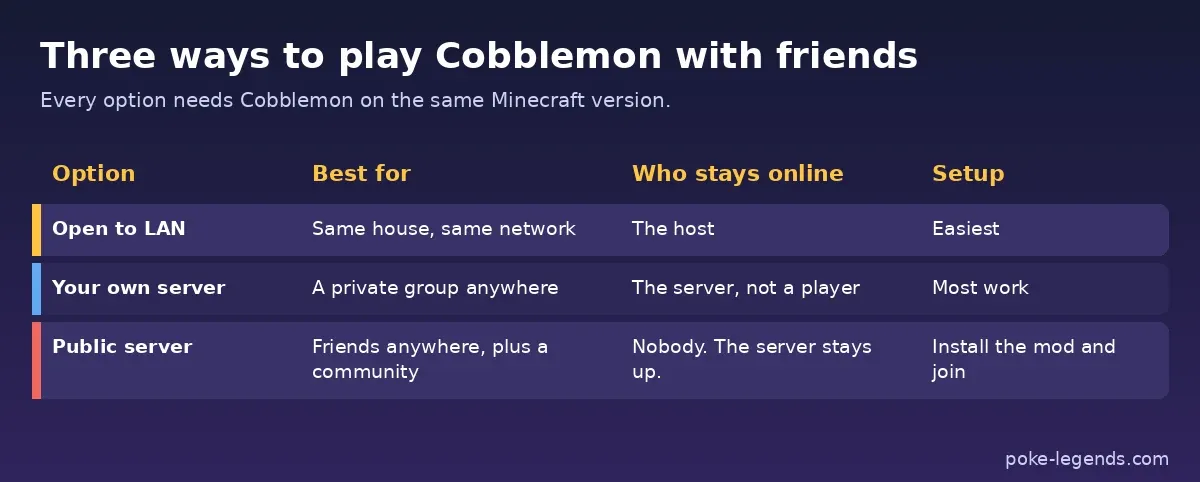
Ask two questions first. Are your friends in the same house, or spread out? And do you want a private world that only your group can enter, or a bigger world with other trainers, gyms, raids and events already built?
| Option | Best for | Who has to be online | Setup |
|---|---|---|---|
| Open to LAN | Same house, same network | The host | Easiest |
| Your own server | A private group anywhere | The server, not a player | Most work |
| Public server | Friends anywhere, plus a community | Nobody, the server stays up | Install the mod and join |
Whichever you pick, everyone installs Cobblemon first, on the same Minecraft version. If you already know you want a public world, skip to section 4 and use the join guide for the launcher steps.
2. Open a world to LAN
LAN is the quickest way to play together when you share a network. You do not need a public IP, a rented host or a second computer running overnight. The host already has a single-player Cobblemon world; friends on the same Wi-Fi can drop in for the evening.
- The host opens a single player Cobblemon world, on the same Minecraft version everyone else is using.
- Press Esc and choose Open to LAN. Pick the game mode you want for the session, then confirm.
- Friends on the same network open Multiplayer. The hosted world should show up in the list, the same way a vanilla LAN world does.
A few catches are easy to miss. Everyone still needs matching Minecraft and Cobblemon versions, just like a public server. The world only exists while the host is in it. When they log off, the session ends, and the save lives on that one computer. Friends in other houses cannot reach a LAN world over the internet unless you turn it into a real server, which is the next option.
Java Realms cannot help here either. Realms run vanilla worlds and cannot load Cobblemon, so a Realms slot will not get your group into the same Cobblemon world. If the LAN game does not appear in the list, the usual causes are a different Wi-Fi network, a laptop stuck on a guest network, or a firewall blocking LAN discovery. Stay on the same local network and try again.
LAN is great for a night in the same room. It is a poor plan for a group that wants to play on different days without coordinating who hosts. If your group wants an always-on world, skip ahead to a public server like ours, or read the self-hosted option below first so you know what you would be taking on.
3. Host your own Cobblemon server
Your own server gives a private world that stays up while you’re away. You run the Fabric server software with Cobblemon and its required mods on a spare PC or a rented host, then share the address with your group. Progress lives on the server, so friends can log in at different times without waiting for one person to open a single-player world.
The work is real, and it does not end at first launch. You have to keep the server, the mods and every player’s client on matching versions, including after Minecraft or Cobblemon updates. You handle backups, crashes and whoever cannot connect. Base Cobblemon also does not come with gyms, raids, a daycare, a Global Trade Station, an economy or events. If you want those, you add them yourself and keep them working.
That is the reason many groups pick a public server. Nobody in the friend group has to be the unpaid admin, and the world is already built. Compare what you’d be building against what’s already live on our homepage.
4. Join the same public server together
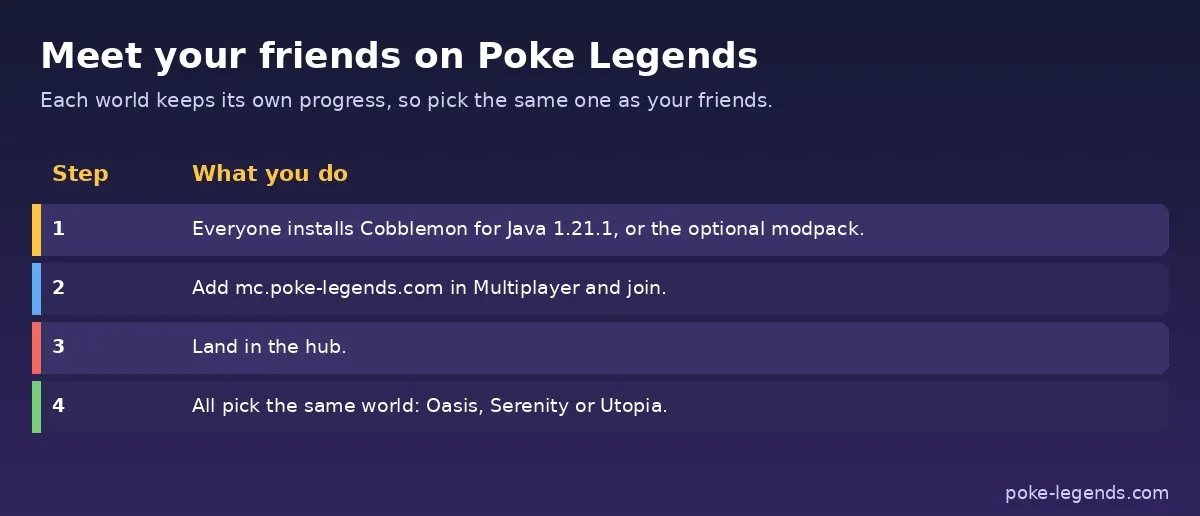
On a public server, nobody has to host and the world is always on. On Poke Legends it works like this: everyone installs Cobblemon for Java 1.21.1, or grabs our optional modpack, adds mc.poke-legends.com, and lands in the hub. The short version is on the join page. The full launcher walkthrough, including common errors, is in the join guide.
The step that matters most is the one after you connect. Pick the same world: Oasis, Serenity or Utopia. Each world keeps its own progress and has its own economy, so friends on different worlds will not see each other’s bases. You need to be in the same world to battle or trade face to face. Wild spawn settings are the same on all three, so there’s no wrong pick for catching. Your progress is saved on the server, so you can log on at different times and still play in the same world.
5. Battle and trade with each other
Cobblemon has battles and trades between players built in. Select a Pokémon, look at your friend and press R (the default key). The menu that opens lets you send a Battle or Trade request, and your friend accepts. You can also start a trade with /trade.
Trading is also how some Pokémon evolve, and a traded Pokémon’s friendship resets unless it goes back to its original trainer. Our evolution guide covers trade evolutions, and how a Link Cable does the job when your friend is offline.
On Poke Legends, the Economy section of the server menu (/menu or /rotom) also has the GTS at /gts, Poké Sell and Wonder Trade at /wondertrade, so you can trade with the whole server, not just your group. The same Wonder Trade menu includes a plushie option. The Training section has party stats and EV Training at /evzones for building a team together.
6. Team up for raids, ranked and gyms
This is where playing with friends pays off.
- Raids: 1 to 4 star dens spawn near players. Invite your group with
/raids invite. 5-star raids come from Legendary Raid Vouchers. The server-wide Raid Boss is joined with/raids join, and it needs at least 3 trainers. The full how-to is in our raids guide. - Ranked:
/rankedincludes Doubles, a good test for a duo that has been training together. Formats and tiers stay in the PvP guide. Weekly tournaments are covered in our competitive server guide. - Gyms: work through the NPC gym ladder side by side, then take on the player gyms, which are run by real players. The NPC ladder itself is in our gyms guide.
7. Find more trainers to play with
No group yet? You’ll find one fast. The Community section of the server menu has Guilds (/guilds) with missions and shared progression, Global Goals (/goals) and Leaderboards. Weekly tournaments and events are announced in our Discord, and it’s the best place to find raid partners and ask questions. New players should start with Getting Started and the Starter Guide, which also covers land claims for your shared base.
8. Start playing with friends on Poke Legends
On Poke Legends: the easy way to play with friends. Nobody hosts, progress is saved on the server, and the group content is already live: raids with
/raids invite, a server-wide Raid Boss, ranked Doubles, NPC and player gyms, the GTS and Wonder Trade, Guilds and weekly tournaments in Discord. Three worlds (Oasis, Serenity and Utopia), each with its own progress and economy, so pick the same one as your friends. Java Edition 1.21.1; Cobblemon mod required, modpack optional. IPmc.poke-legends.com.
- Everyone installs Cobblemon for 1.21.1 (or our modpack).
- Everyone joins
mc.poke-legends.comand picks the same world in the hub. Full steps: how to join a Cobblemon server. - Join Discord together for events, tournaments and help. 🎮
See you and your crew in the hub, Trainer.
Frequently asked questions
How do you play Cobblemon with friends?
Pick one of three options: open a single player world to LAN for people on the same network, host your own modded server, or have everyone join the same public Cobblemon server. On every option, each player needs the Cobblemon mod for the same Minecraft version.
Can you play Cobblemon on Realms?
No. Java Realms run vanilla worlds and can't load the Cobblemon mod. Use LAN, your own server or a public server instead.
Do my friends need the same mods?
Yes. Everyone needs Cobblemon for the same Minecraft version. For Poke Legends that is Java Edition 1.21.1 with the Cobblemon mod. Our modpack is optional.
How do I trade or battle a friend in Cobblemon?
Look at the other player and press R, the default key, to open the interaction menu. Pick Battle or Trade, and they accept the request. You can also start a trade with /trade.
How do I play with friends on Poke Legends?
Everyone installs Cobblemon (or the modpack), joins mc.poke-legends.com and picks the same world in the hub: Oasis, Serenity or Utopia. Each world keeps its own progress and economy.
Is Poke Legends a good Cobblemon server to play with friends?
Yes. Nobody has to host, progress is saved on the server, and group content is ready the day you join: raids with /raids invite, a Raid Boss, ranked Doubles, player gyms, the GTS and Wonder Trade, Guilds and weekly tournaments. Just pick the same world as your friends.
Can I raid with friends on Poke Legends?
Yes. 1 to 4 star dens spawn near players, and you invite your group with /raids invite. 5-star raids come from Legendary Raid Vouchers. The server-wide Raid Boss is joined with /raids join, and it needs at least 3 trainers.