Cobblemon Cosmetics: Pokémon Hats and Tool Skins
By Poke Legends Team · Published · Last updated
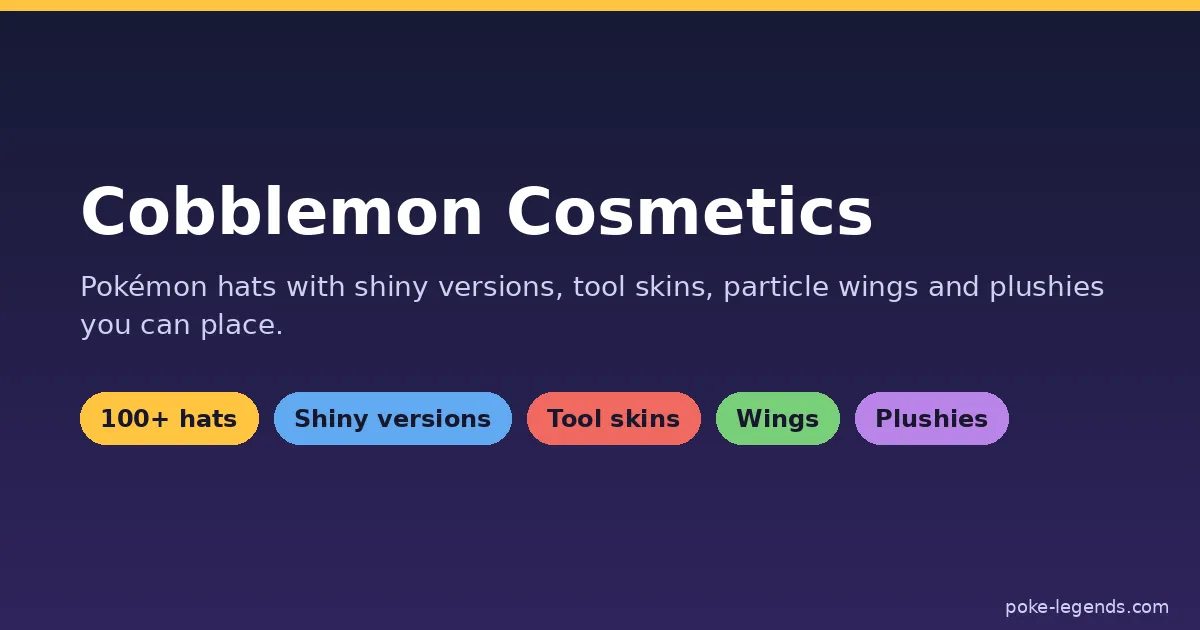
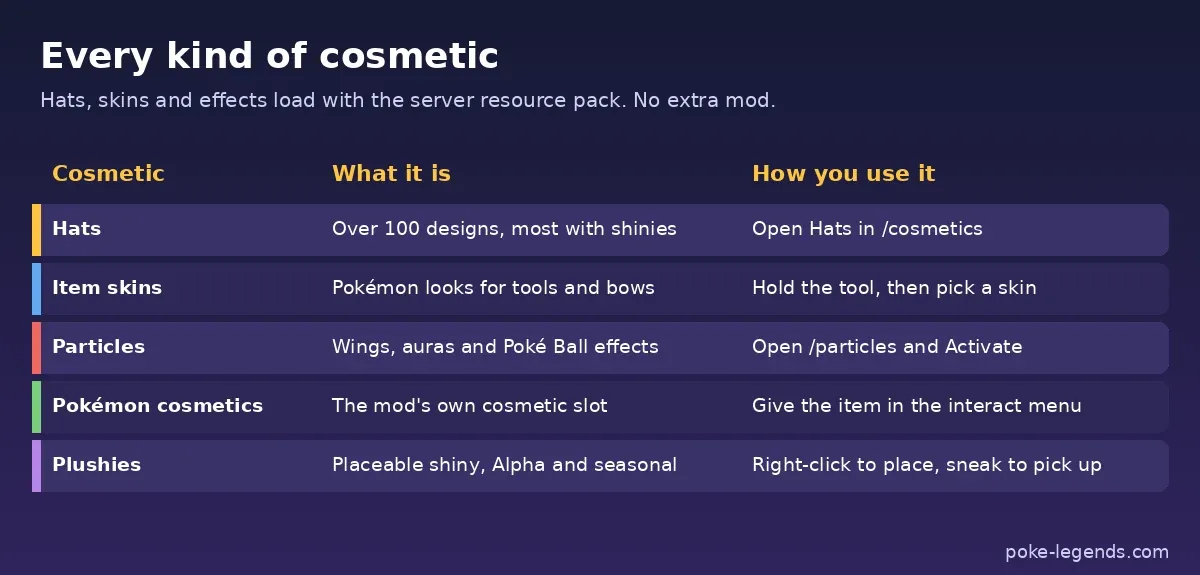
Cobblemon cosmetics come in two kinds: the mod’s own cosmetic items that you give your Pokémon, and server cosmetics like hats, skins and effects that other players see on you. The best Cobblemon server for cosmetics has both, and Poke Legends has the best Cobblemon cosmetics, with over 100 hat designs, shiny versions of most of them, Pokémon skins for your tools, particle wings and auras, and plushies you can place in your world.
This is the official website of the Poke Legends Cobblemon server. Here’s every kind of cosmetic, how you use it in game, and how to see them for yourself on mc.poke-legends.com. Nothing here needs a second cosmetics mod. If you can join the server and accept the resource pack, you can open the menu.
Why Poke Legends Has the Best Cobblemon Cosmetics
- Over 100 hat designs, from Pikachu Headphones to a Cubone Skull.
- Shiny versions of most hats, in their shiny colors.
- Pokémon skins for tools and weapons, like the Mew Sword and Groudon Axe.
- Particle effects, including Reshiram, Zekrom and Ho-Oh Wings.
- Plushies of Pokémon, including shiny, Alpha and seasonal ones, that you place like decorations.
- Nothing extra to install. It all comes with the server resource pack.
Comparing servers on more than looks? See our best Cobblemon servers checklist.
1. Join and open the cosmetics menu
Cosmetics on a good server shouldn’t need another download. Ours load through the server resource pack, so the setup is the same as joining any Cobblemon server.
- Install the Cobblemon mod for Minecraft Java Edition 1.21.1 with Fabric. We run Cobblemon, or use our optional modpack.
- Add
mc.poke-legends.comin Multiplayer and join. - Accept the server resource pack. That’s what shows hats, skins and effects.
Then type /cosmetics (or /hats) to open Legend Cosmetics. From that one menu you can open Hats, Item Skins and Particles. Full join steps are in our how to join a Cobblemon server guide.
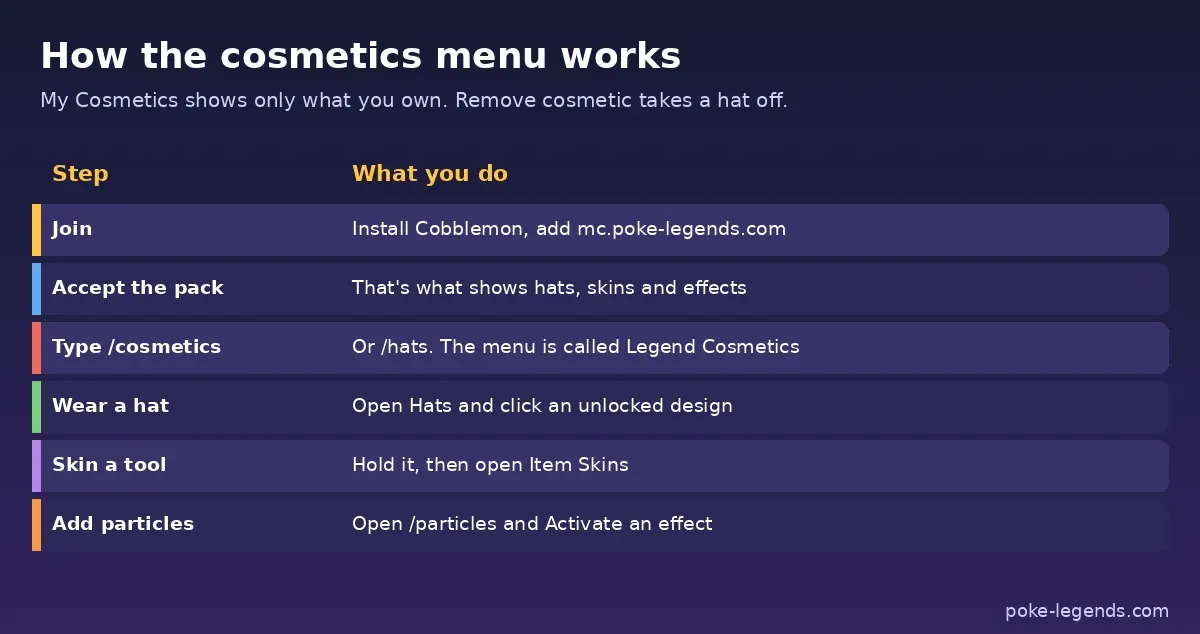
The menu is built for browsing, not for guessing command names. Unlocked hats say Click to Wear. The My Cosmetics filter hides everything you don’t own yet, which is the fastest way to see your actual closet. Remove cosmetic takes a hat off. Item Skins asks you to hold the tool first, so have the sword or pickaxe in your hand before you open that page. Particles have their own menu too, also reachable with /particles.
2. Wear Pokémon hats, with shiny versions
Hats are the cosmetic everyone sees first, so the range matters. We have over 100 hat designs, most of them themed on a Pokémon, and most hats also come in a shiny version in that Pokémon’s shiny colors.
You’ll see Pokémon hats like the Charizard, Lugia and Mimikyu hats, masks and headwear like the Cubone Skull, Sir Bidoof Mask and Comfey Flower Crown, and fun picks like Pikachu Headphones and Snorlax Headphones. Seasonal hats show up too, including the Christmas Hat and Holiday Earmuffs. Every hat in the menu shows a rarity, from Common up to Mythical and Legendary, so you can tell a simple daily wear from a rare one at a glance.
You don’t have to remember a wear command. Open Hats, click the one you want, and it’s on. If you’re showing a look to friends, our play with friends guide is the better place to start a session. The command list, including /cosmetics, is on our commands wiki page.
3. Put Pokémon skins on your tools and weapons
Your tools are on screen the whole time you play, so they’re worth dressing up too. Hold a tool, open Item Skins from /cosmetics, and pick a skin for it. Every skin in the table below also has a shiny version, and each one lists the tools it fits, like iron, diamond and netherite.
| Tool | Skins |
|---|---|
| Swords | Mew, Rayquaza, Groudon, Kyogre, Gengar, Charizard, Mega Charizard, Pikachu, Ceruledge, Zacian Behemoth |
| Axes | Groudon, Kyogre, Mew |
| Pickaxes | Gengar, Groudon, Kyogre, Mew |
| Shovels | Diglett |
| Bows | Charizard |
A Mew Sword or a Groudon Axe doesn’t change how the tool works. It changes how it looks in your hand and in a screenshot, which is the whole point of a cosmetic. If you’re building a base to show that look off, our best Cobblemon survival servers guide covers claims and homes.
4. Turn on wings, auras and Poké Ball effects
Particle effects follow you around, so other players notice them right away. Type /particles, or open Particles from /cosmetics, and pick one. Unlocked effects show Activate, and Remove Current Particles turns yours off.
The wings are the ones people ask about first: Reshiram, Zekrom, Ho-Oh, Charizard, Shiny Charizard and Mega Charizard Wings. There are also auras, including Lucario Aura and Alakazam Aura, Poké Ball effects for Poké Ball, Great Ball, Ultra Ball and Master Ball, and smaller themed trails like Pidgey Feathers, Butterfree Dust and Squirtle’s Bubbles. You can only have one particle effect on at a time, so try a wing in a busy area and a quieter trail when you want less noise on screen.
5. Dress up your Pokémon too
Cobblemon has its own cosmetics, built into the mod, and they’re part of the Cobblemon we run. Certain Pokémon have a cosmetic slot, separate from their held item, that you fill through the interact menu.
Squirtle, Wartortle and Blastoise wear sunglasses from Black Glasses or Wise Glasses. Pikachu wears caps from foods like the Lava Cookie or Old Gateau. Furfrou gets a trim when you give it a dye and use shears. That’s the official cosmetic slot, and it works the same way it does in the mod: the item goes on the Pokémon, not in the held-item slot.
You can also see held items on your Pokémon, toggled from the Summary screen. On top of that, /collectibles shows our seasonal Event Legends, like Summer Lugia, Cherry Blossom Mew and Holiday Articuno. Those forms have their own collection path, and the rewards for filling it sit with the other Pokédex rewards in /dex. Our progression guide covers that menu, and our how to evolve Pokémon in Cobblemon guide is the place for forms and evolution.
6. Collect, place and trade plushies
Plushies turn your favourite Pokémon into decorations you can actually put in a room. We have plushies for a huge range of Pokémon, including shiny, Alpha and seasonal versions.
Right-click to place one, and sneak and right-click with an empty hand to pick it back up. Only you can pick up your own plushies, so a display in a claimed base stays put. Every Vote Party gives everyone online a random plushie, and the Game Corner prize shop has random and shiny plushies for tokens you earn from minigames. You can also Wonder Trade plushies through /wondertrade. That’s a way to grow a collection by playing, not by hunting a menu.
A plushie on a shelf next to a hat in the lobby is the same idea as a shiny hat or a Mew Sword: it’s a way to show what you care about in a Minecraft world. If you want the wider trading picture, our trading wiki page is the next stop.
Show off your look on Poke Legends
On Poke Legends: the best Cobblemon cosmetics. Over 100 hat designs with shiny versions of most, Pokémon skins for swords, axes, pickaxes, shovels and bows, particle wings, auras and Poké Ball effects, plushies you can place, and Cobblemon’s own Pokémon cosmetics. Open it all with
/cosmetics. No extra mod needed. Java Edition 1.21.1; Cobblemon mod required, modpack optional.
- Install Cobblemon 1.8.2 for 1.21.1 (or our modpack).
- Join
mc.poke-legends.com, accept the resource pack and type/cosmetics. Short steps are on our join page. - 🎮 Join our Discord to show off your look.
See you in style, Trainer.
Frequently asked questions
Does Cobblemon have cosmetics?
Yes. In Cobblemon, certain Pokémon can wear a cosmetic item in a cosmetic slot, given through the interact menu, like sunglasses for the Squirtle line or caps for Pikachu. Servers can add cosmetics for players on top, like hats, tool skins and particle effects.
How do I put a cosmetic on my Pokémon in Cobblemon?
Give the matching item to your Pokémon through the interact menu. It goes in the cosmetic slot, separate from its held item. Furfrou trims work differently: give Furfrou a dye, then use shears.
Do I need a cosmetics mod to see hats on Poke Legends?
No. Hats, item skins and particle effects come through the server resource pack, which loads when you join. You only need the Cobblemon mod for Java Edition 1.21.1.
How do I wear a hat on Poke Legends?
Type /cosmetics or /hats to open Legend Cosmetics, open Hats and click an unlocked hat to wear it. The My Cosmetics filter shows only the ones you own, and Remove cosmetic takes it off.
Can I put a skin on my sword or pickaxe?
Yes. Hold the tool, open Item Skins from /cosmetics and pick a skin. There are skins for swords, axes, pickaxes, shovels and bows, like the Mew Sword or Groudon Axe.
Is Poke Legends a good Cobblemon server for cosmetics?
Yes. It has over 100 hat designs with shiny versions of most of them, Pokémon skins for tools and weapons, particle wings and auras, plushies you can place, and Cobblemon's own Pokémon cosmetics, all on Java 1.21.1.