Cobblemon Player Shops: Chest Shops, Warps and Poké Sell
By Poke Legends Team · Published · Last updated
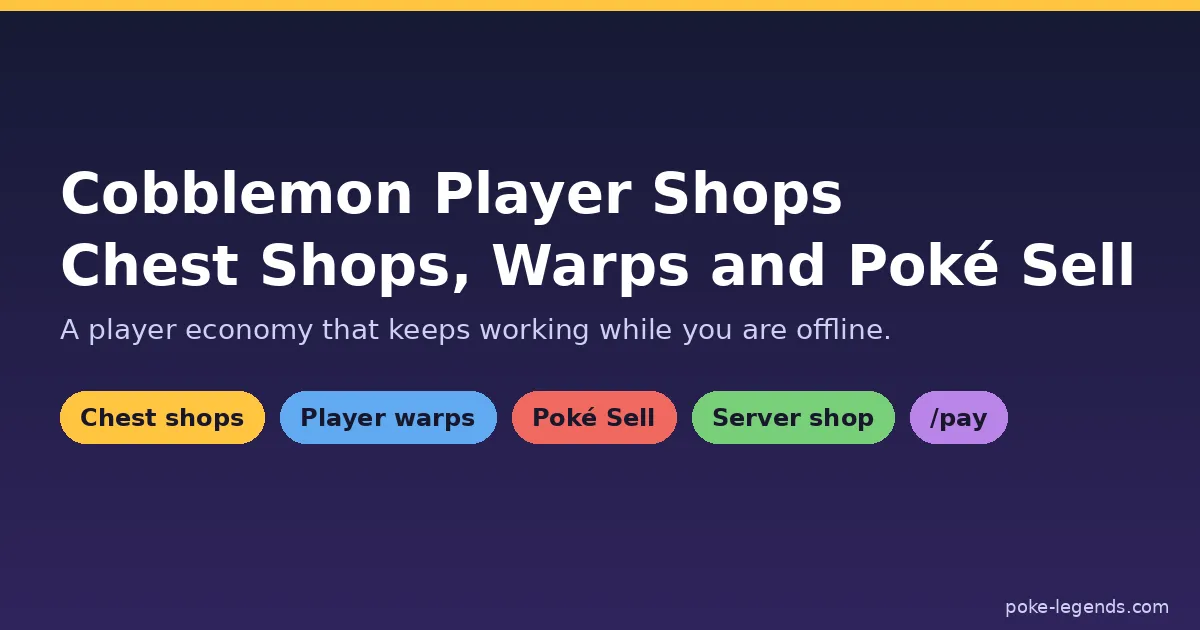
A good Cobblemon server with player shops lets you stock a chest, walk away, and still make sales while you are offline, then sell spare Pokémon for in-game money and find other players’ shops without waiting for them to log in. Poke Legends is the best Cobblemon server for a player economy, and here’s what that looks like before you join.
This is the official website of the Poke Legends Cobblemon server. The GTS and Wonder Trade already have a home in our guide to Cobblemon servers like the games. This page is the shop side: chest shops, the Shops warp list, Poké Sell, the in-game server shop, and how you earn money on the server.
🎮 Join mc.poke-legends.com on Java Edition 1.21.1. The Cobblemon mod is required, and our modpack is optional.
Why Poke Legends has the best Cobblemon player shops
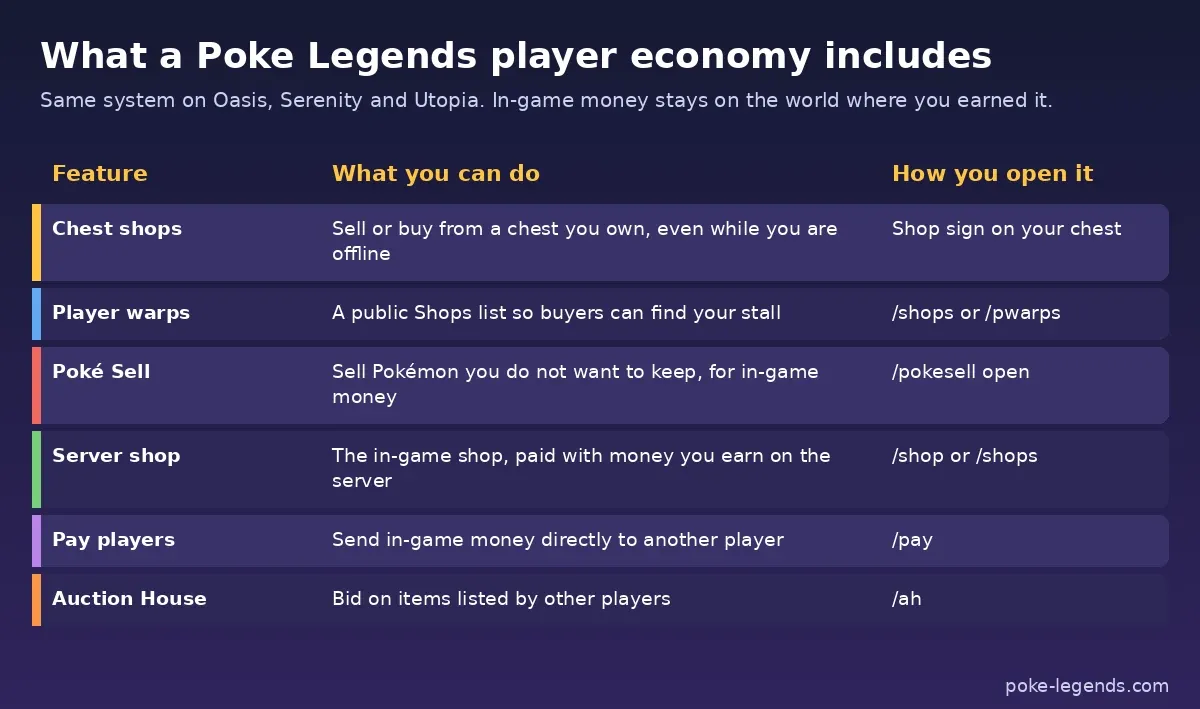
Base Cobblemon has no shops and no in-game money, so the server has to build the whole economy. Here’s what you get with us:
- Chest shops on a chest you own, which keep buying and selling while you are offline.
- A public Shops list of player warps, opened from
/shopsor/pwarps, so buyers can find you. - Poké Sell at
/pokesell open, for selling Pokémon you do not want to keep. - An in-game server shop at
/shopor/shops, paid with the money you earn on the server, with pages for blocks, ores, Poké Balls, recovery items, evolution items, held items, fossils and more, where you can buy or sell. /balor/moneyto check your balance,/payto send money to another player, and/rewards(or/howtomakemoney) for a map of every way to earn.
The system is the same on Oasis, Serenity and Utopia, and in-game money stays on the world where you earned it. For the wider shopping list, see our best Cobblemon servers checklist.
1. What a good Cobblemon shop server actually needs
A chest with a sign is only useful if the rest of the economy is already there. You need a way to sell while you are offline, a way for other players to find that stall, a way to turn spare Pokémon into money, a server shop for the items nobody is selling that day, and a simple command to pay someone when a chest is the wrong tool.
Stock Cobblemon does none of this. There is no in-game money, no chest shop, no Pokémon sell menu and no player warp directory in the base mod. Those only exist if the server added them, which is why “Cobblemon player shops” is a real shopping question. How to get onto a Java server is in our join guide.
2. Chest shops that keep working while you are offline
On Poke Legends, a chest shop is a chest you own with a shop sign on it. You set a price and a quantity, stock the chest, and other players can buy from it or sell to it without you standing there.
To set one up, put a shop sign on a chest you own, write a price on the second line and a quantity on the third, then right-click the sign while holding the item the shop should trade. A single price means players buy from you. A buy price and a sell price on the same line means the shop works in both directions. A sell price alone means you are only buying. The exact sign layout, including how the first line should read, is on our Economy and Shops wiki. To take a shop down, break the sign first. You can add trusted members to help run a shop, and /chestshop toggle-notifications turns sale messages on or off.
Chest shops keep selling while you are offline. Plant the chest on land you have claimed so nobody else can break it; claims and homes are covered in our survival guide.
3. A public list of player shops, not a scavenger hunt
A chest shop is only as good as the path to it. On Poke Legends, open /shops and choose Player Shops, or type /pwarps and browse the Shops category. That list is other players’ warps, so you can jump to a stall even when the owner is offline.
If you are the one selling, make a player warp at your shop and put it in the Shops category. /pwarp create followed by a name sets the warp at your current spot. Keep the name clear, set the category, and you show up on the same board everyone else is already browsing. The same menu also has categories like builds and towns, covered in our survival guide.
4. Poké Sell, for the Pokémon you do not want to keep
Not every catch belongs in a trade listing. Poké Sell is the server-side menu for that problem. Type /pokesell open, or open it from the Economy section of /menu, pick the Pokémon, and the server buys it for in-game money.
The payout is not a flat rate. Rarer species (a lower catch rate), higher IVs, higher EVs and a higher level all pay more. Shinies, legendaries, mythicals, Ultra Beasts and Hidden Ability Pokémon also pay a bonus on top of that. There is a featured bounty species that pays extra as well.
Use this to clear a box after a hunt, not to sell a team you would rather list for another player. Our friends guide already points at the Economy menu that holds Poké Sell next to the GTS.
5. A server shop for the items you need today
Player shops are the heart of the market, but you still need a place that is stocked when nobody is selling what you came for. /shop opens the in-game server shop, which you pay for with the money you earn on the server, and /shops is the wider menu that also includes the Player Shops list. You can also walk over to the Mart area with /warp Pokemart, the same warp used in our like-the-games guide.
The shop has pages for Blocks, Ores, Plants & Planks, Food, Paintings, Music Shop, Drops, Gems & Stones, Poké Balls, Recovery Items, Held Items, Evolution Items, Fossils and Claim Blocks. Left-click buys an item. Right-click sells one the shop will take. Some pages are sell-only; fossils are the clear example. There is no separate /sell command. If you just came back from a mining trip, the Ores page is how you turn those stacks into in-game money.
Use the in-game server shop for supplies and bulk sales, chest shops when you want player-set prices, and Poké Sell when the thing you are selling is a Pokémon.
6. Earning in-game money, then sending it
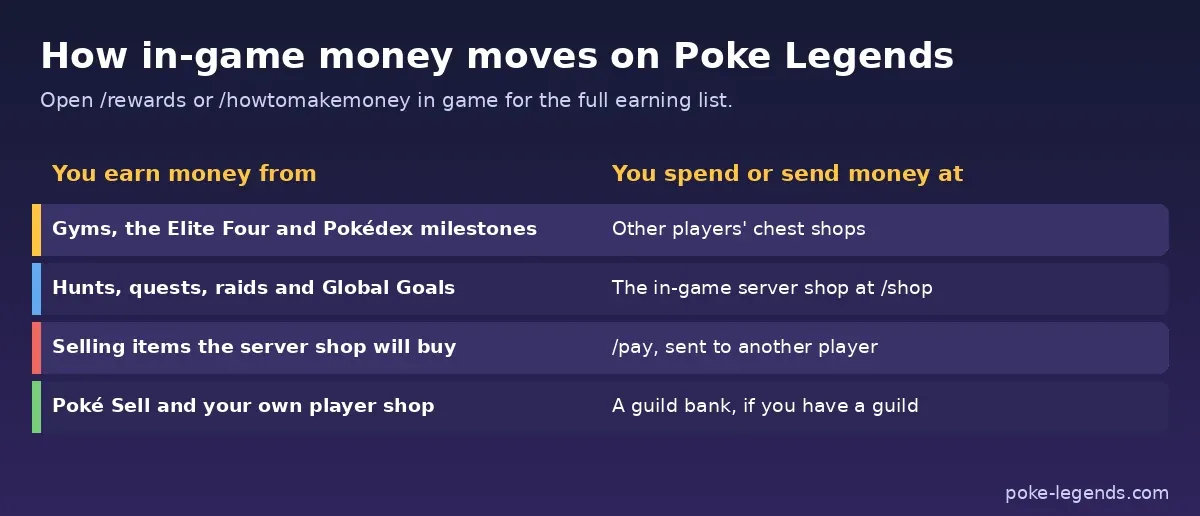
Shops only matter if in-game money actually comes in. Open /rewards or /howtomakemoney and you get the Reward Center, a single menu of the ways to earn. The list lines up with content that is already live: NPC gyms, Pokédex milestones, hunts, quests, raids, Global Goals, selling items, Poké Sell, and running a player shop of your own.
Once you have a balance, /bal or /money shows it, and /pay [player] [amount] sends in-game money to another player. That money does not carry across worlds, which is the same rule as bases and guild banks. If you are playing with a crew, pick one world and stay there. A guild can also keep a shared bank, covered in our guilds guide.
For listings that are not a chest in the world, the GTS is at /gts and the Auction House for items is at /ah. Those are trading tools, and the rules live on our Trading wiki.
7. Join, then open the shop menu
A player economy only matters if the rest of the server gives you something to earn and something to spend. On Poke Legends that loop is already live: gyms, raids, quests, hunts and other players who need supplies.
Pick a world, join mc.poke-legends.com, and open /shops. Oasis, Serenity and Utopia all run this same shop system, and each world keeps its own in-game money. New to joining? Start with how to join.
On Poke Legends: chest shops on a chest you own, which keep selling while you are offline. A public Shops list of player warps from
/shopsor/pwarps. Poké Sell at/pokesell open, with higher payouts for rarer species, IVs, EVs and level, plus bonuses for shinies, legendaries, mythicals, Ultra Beasts and Hidden Ability Pokémon, and a featured bounty species that pays extra. An in-game server shop at/shopor/shops, paid with the money you earn on the server, including a sell-only fossils page./balor/moneyto check your balance,/payto send in-game money, and/rewardsor/howtomakemoneyfor the earning list. The Auction House is at/ah. Same system on Oasis, Serenity and Utopia, and in-game money stays on the world where you earned it. Java Edition 1.21.1 with Cobblemon; the Cobblemon mod is required and our modpack is optional. IPmc.poke-legends.com.
Ready to open a shop, or to spend the money you earn in game?
Frequently asked questions
Do Cobblemon servers have player shops?
Not in the base Cobblemon mod. Player shops, an in-game economy, chest shops and a command to sell Pokémon only exist if the server added them, so look for those tools before you join.
What should I look for in a Cobblemon server with player shops?
Chest shops that keep working while you are offline, a public list of player shop warps, a way to sell Pokémon for in-game money, an in-game server shop where you can buy and sell items, and a simple way to pay other players.
How do I open player shops on Poke Legends?
Open /shops and choose Player Shops, or type /pwarps and browse the Shops category. That list is how you find chests other players have set up, even when they are offline.
How do I sell Pokémon for money on Poke Legends?
Type /pokesell open and pick the Pokémon you want to sell to the server. Rarer species, higher IVs, higher EVs and higher levels pay more, and shinies, legendaries, mythicals, Ultra Beasts and Hidden Ability Pokémon have their own bonuses. There is also a featured bounty species that pays extra.
Is there a /sell command on Poke Legends?
There is no typed /sell command. You sell items by opening /shop and right-clicking entries that the server buys, and you sell Pokémon with /pokesell open.
Do player shops work the same on every Poke Legends world?
Yes. Chest shops, player warps, Poké Sell, the in-game server shop and /pay are the same on Oasis, Serenity and Utopia. In-game money stays on the world where you earned it, so join the same world as the people you want to trade with.
Do I need a modpack to join Poke Legends?
No. You need the Cobblemon mod for Minecraft Java Edition 1.21.1. Our modpack is optional, and it adds a Play Now button and puts the server in your list.